KINETEC CEM™
9/22
EN
4
USING THE HAND CONTROL
3. Changing the display language
Press the SPEED and FORCE buttons simultaneously,
then press the + or - key to change the display language.
Press to confirm, then switch the unit OFF and then ON again
to apply the changed display language.
Available languages: English, French, German, Italian and Spanish.
4. Locking-Unlocking the hand control setting
The hand control allows the patient to control the machine as
appropriate.
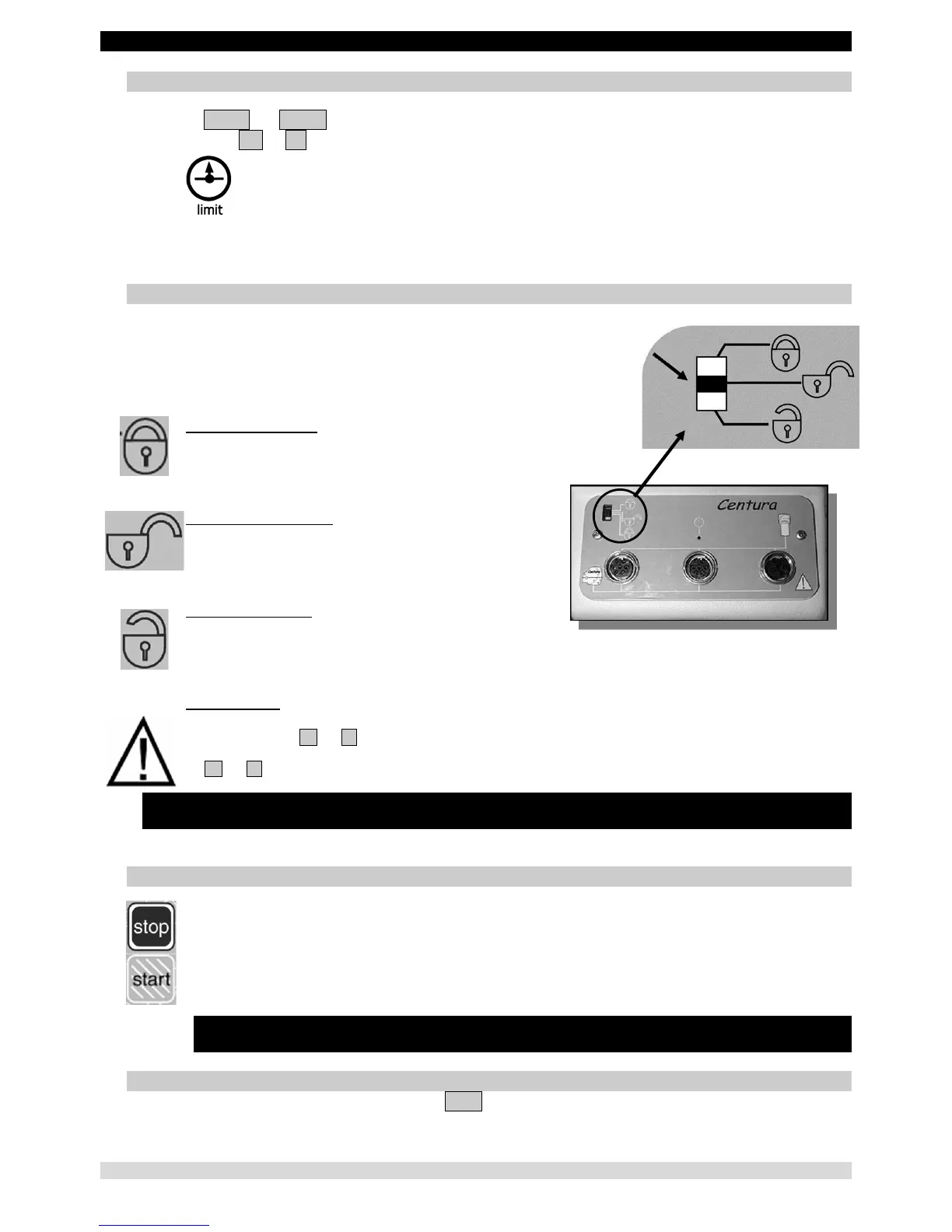
The switch (4) has 3 positions:
Fully locked position
In this mode the only functions available are reading the operational settings
and using the START/STOP function.
Fully unlocked position
All the operational settings can
be changed.
Half-locked position
In this mode, it is possible to switch the program and modify the upper and lower movement limits. The
START/STOP function is always accessible.
Double locking
Simultaneously press the + and - keys to lock the hand control.
The display shows "LOCK". To unlock the hand control, simultaneously press
the + and - keys; the display reads "UNLOCK".
You cannot change the parameters; if you try, the message "LOCK" will be displayed.
We recommend that you lock the hand control when you
give it to the patient.
Note: the hand control locking is preserved when you switch the unit ON/OFF.
5. START/STOP/REVERSE function
As with all KINETEC
®
systems, the device KINETEC CEM™ is equipped with a START/STOP/REVERSE
function.
Press this key of the hand control and the movement stops.
Press this key of the hand control and the movement starts in the opposite direction.
IMPORTANT: for optimum safety, always give the hand control
to the patient before starting the system.
6. Procedure to stop the machine
To stop the machine's movement: press the STOP key
To switch power off: press the ON / OFF switch (see page 8)


 To Next Page