KINETEC CEM™
18/22
EN
SETTING UP THE PATIENT
Make sure the straps are clean.
Put the unit in the position that is the most comfortable for the patient.
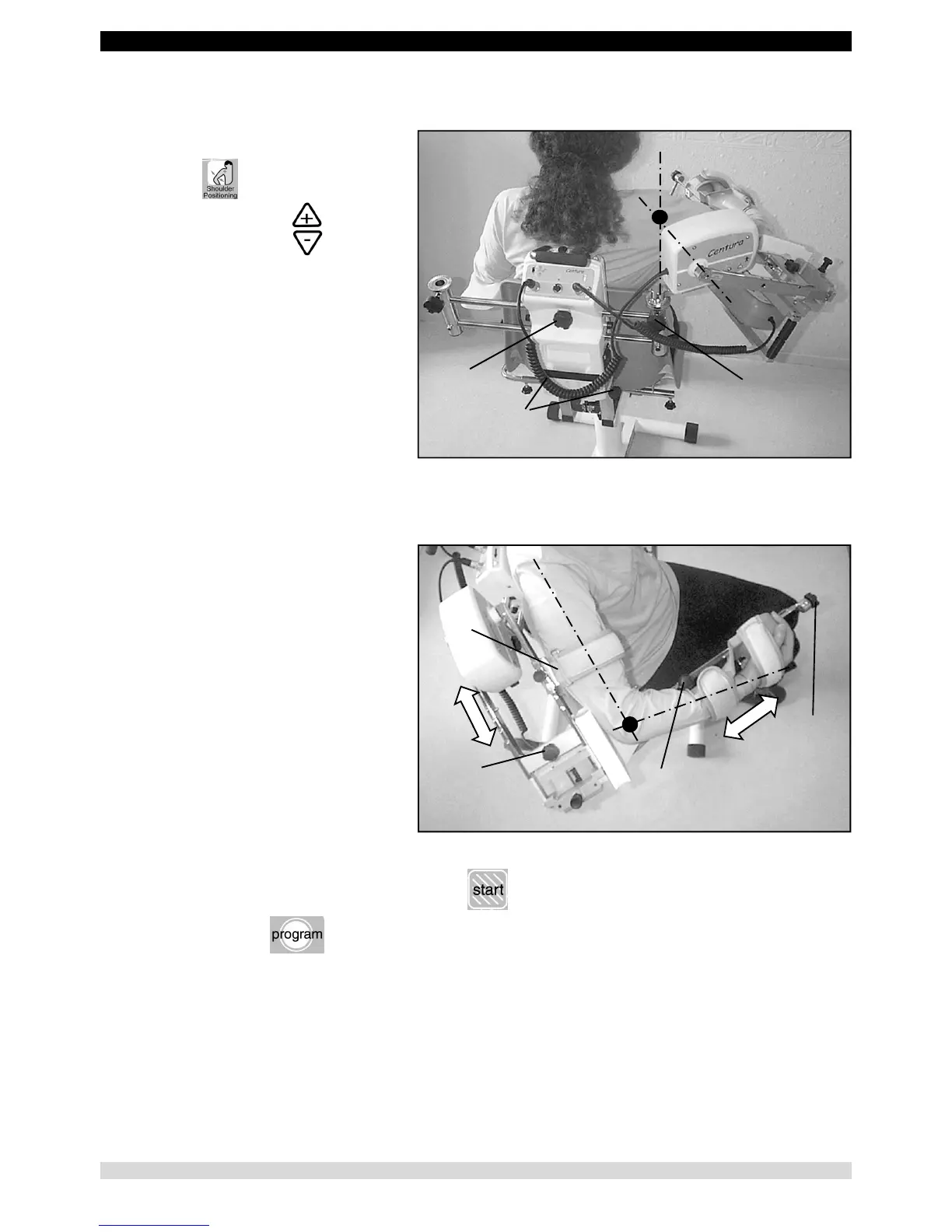
Setting the position of the shoulder axis
Press the key.
Then continuously press
The motor operates, allowing a shoulder position
between 60° and 90° of abduction.
If neither key is pressed for 3 seconds, this
function stops.
The knob (29) allows you to adjust the abduction
plane. You are recommended to position it in the
scapular plane.
The knobs (30) allow you to adjust the height.
The knob (31) allows you to set the shoulder
width.
Setting the arm lengths.
The knob (32) allows you to adjust the length of
the arm.
The knob (7) allows you to adjust the length of
the forearm.
The knob (8) allows you to adjust the prono-
supination position.
Install the arm support (5).
• Starting the movement:
- Set the movement parameters (see page 11). Then press
- or select a program (see page 14).
29
30
31
32


 To Next Page