EasyManua.ls Logo

Kingston Technology MLWG2 - Photos; Select Photos and Folders; Filter Photo Search; Sort Photos by Criteria

Kingston Technology MLWG2
25 pages
Print Icon
To Next Page IconTo Next Page
To Previous Page IconTo Previous Page
Loading...
Document No. 480-16FUM-002.A00
Kingston MobileLite Wireless G2
Page 16 of 25
Photos
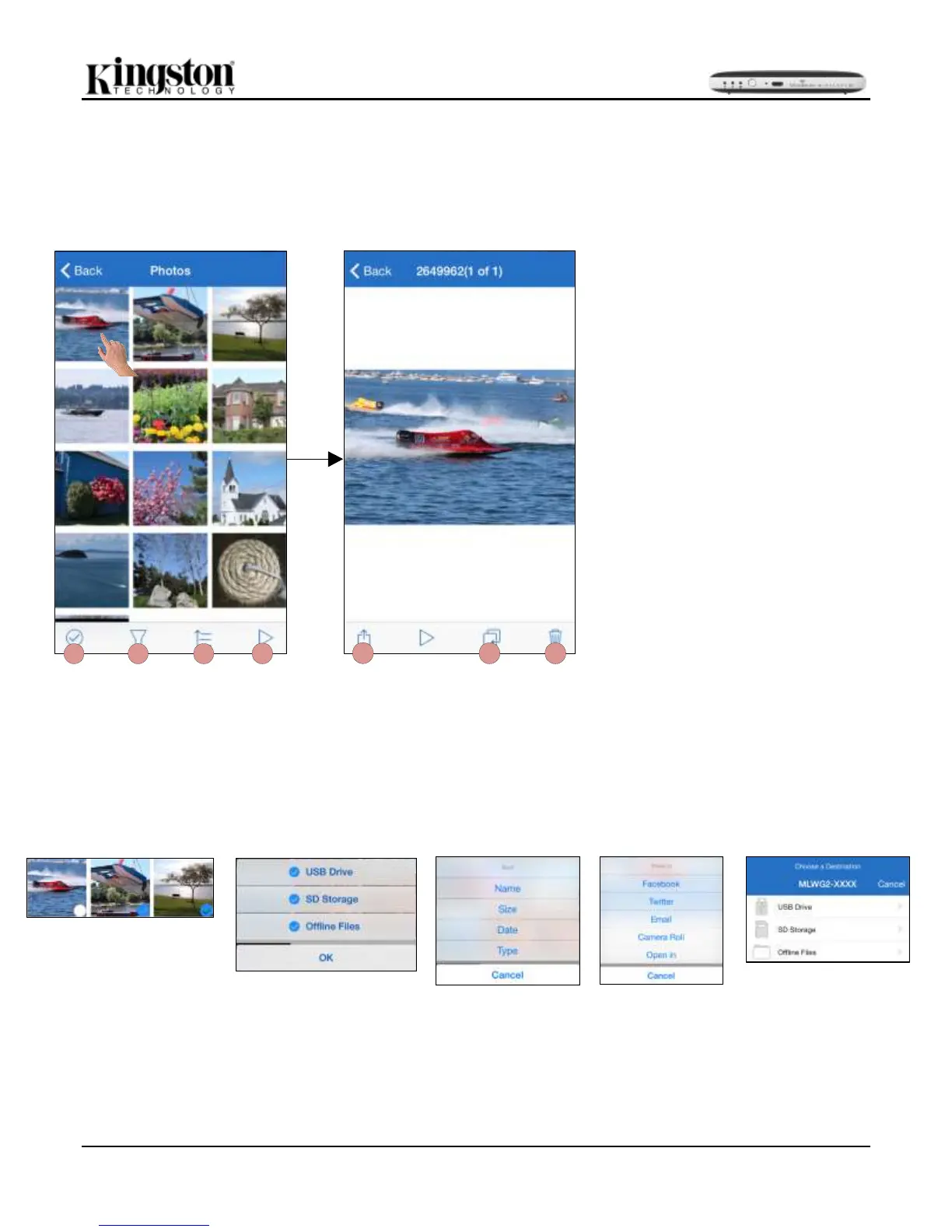
The MLWG2 device makes it simple for users to share pictures of memorable events, whether it is on social
media, in a slide show, or email. Selecting the image file will open the photo. The photo can be viewed in full
screen by selecting the photo once more. There are also file management options available to the user. Please
see Figure 16.1.
A. Select
Figure 16.2
B. Filter
Figure 16.3
C. Sort
Figure 16.4
E. Share
Figure 16.5
F. Copy/Move:
Figure 16.6
D
B
C
A
E
GF
Figure 14.1 - Photos
A. Select: Allows user to select
multiple files/folders. See Figure
16.2
B. Filter: This option is available when
all photos are selected and it allows
the user to filter the search for
photos in the USB Drive, SD
Storage and/or Offline Files. See
Figure 16.3
C. Sort: Sorts the files/folders using
Name, Size, Date, or Type. See
Figure 16.4
D. Slideshow: Plays all the photos
located in the opened folder.
E. Share: with Facebook, Twitter,
Email, Camera Roll, or Open in. See
Figure 16.5
F. Copy/Move: Will copy or move the
file to the target location. See
Figure 16.6.
G. Delete: Permanently deletes the
current file


Related product manuals