Document No. 480-16FUM-002.A00
Kingston MobileLite Wireless G2
Extend the storage of your mobile device
The Kingston MobileLite App allows users to import photos and video from their iOS Camera Roll to a USB or
SD/SDC card connected to the MobileLite Wireless G2.
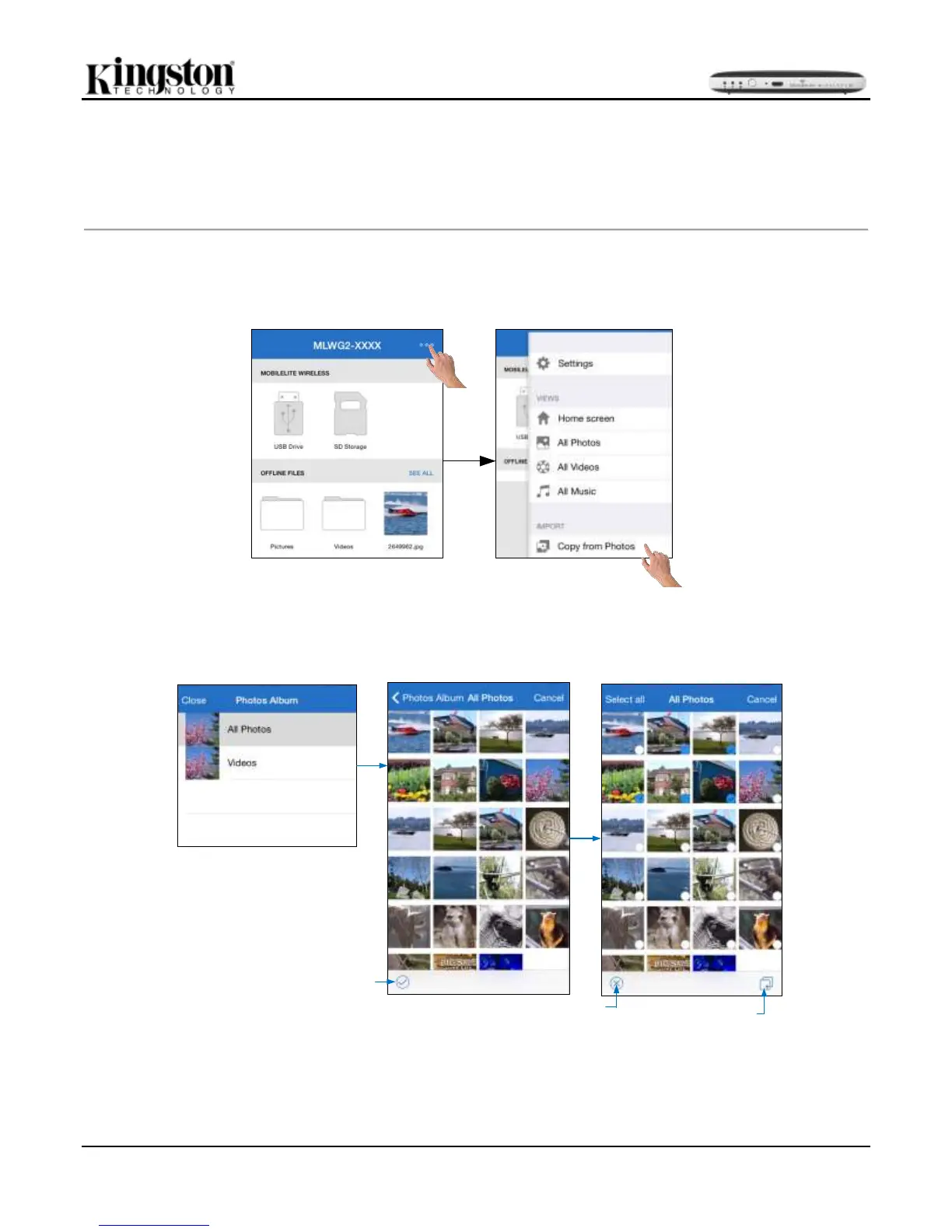
Please follow the steps below to import a single or multiple files from the iOS camera roll to the MLWG2.
Step 1: Begin by selecting ‘Menu’, then select ‘Copy from Photos’. See Figure 13.2
Figure 13.1 – Import from iOS Device
Step 2: Choose the album of the desired photo(s) and select a single file to import or tap the check mark to
select multiple files. In multiple file selection mode, continue by selecting the Copy/Move option. See Figure 13.2
Select
Multiple
Files
Cancel
multiple
file
selection
Copy/
Move
Figure 13.2: Selection of photo(s)



 To Next Page