Chapter 2 Basic Operation 2-5
2. 3 Replacing Roll Media
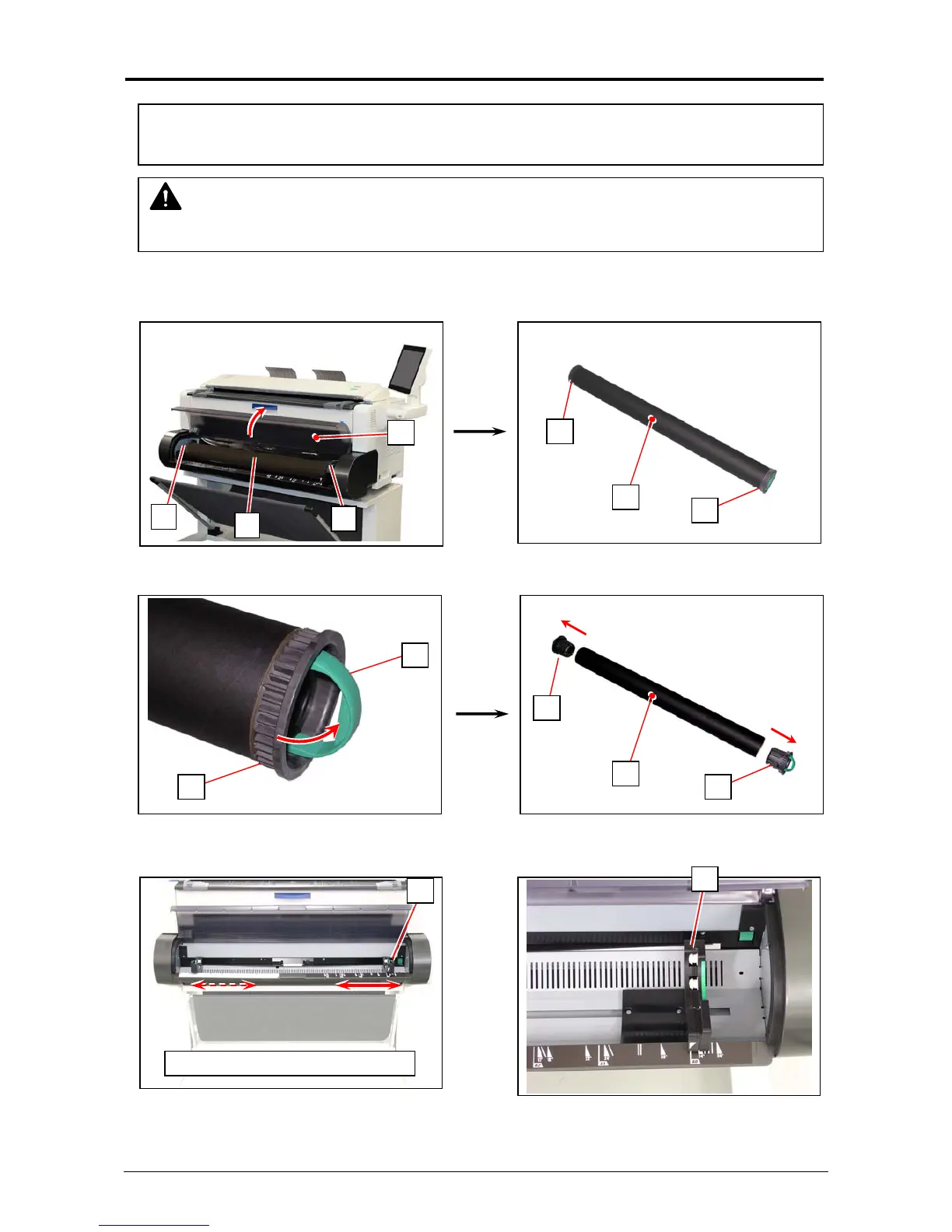
1. Open Roll Deck Cover (1).
Holding both Flanges (2), lift and remove a roll media or an empty roll core (3).
2. Raise the green lever (4) on Flange (2). Remove both Flanges (2) from the roll core (3).
3. Move the right Slide Guide (5) to match your roll media’s width.
The right and left Slide Guides move together.
NOTE
A media mis-feed tends to occur just before out of a roll media.
3
4
2
5
5
right / left Slide Guide move together
2
2
3
2
2
2
2
3
1
When the printer is running out of a roll media, the UI Screen will display “Out of Paper” sign.
Follow the later procedure (or as noted in the UI’s User Guide) to load a roll media.



 To Next Page