Chapter 2 Basic Operation 2-10
2. 5 Toner Supply
When the UI screen shows “Adding Toner”, follow the instruction to install a genuine Toner
Cartridge.
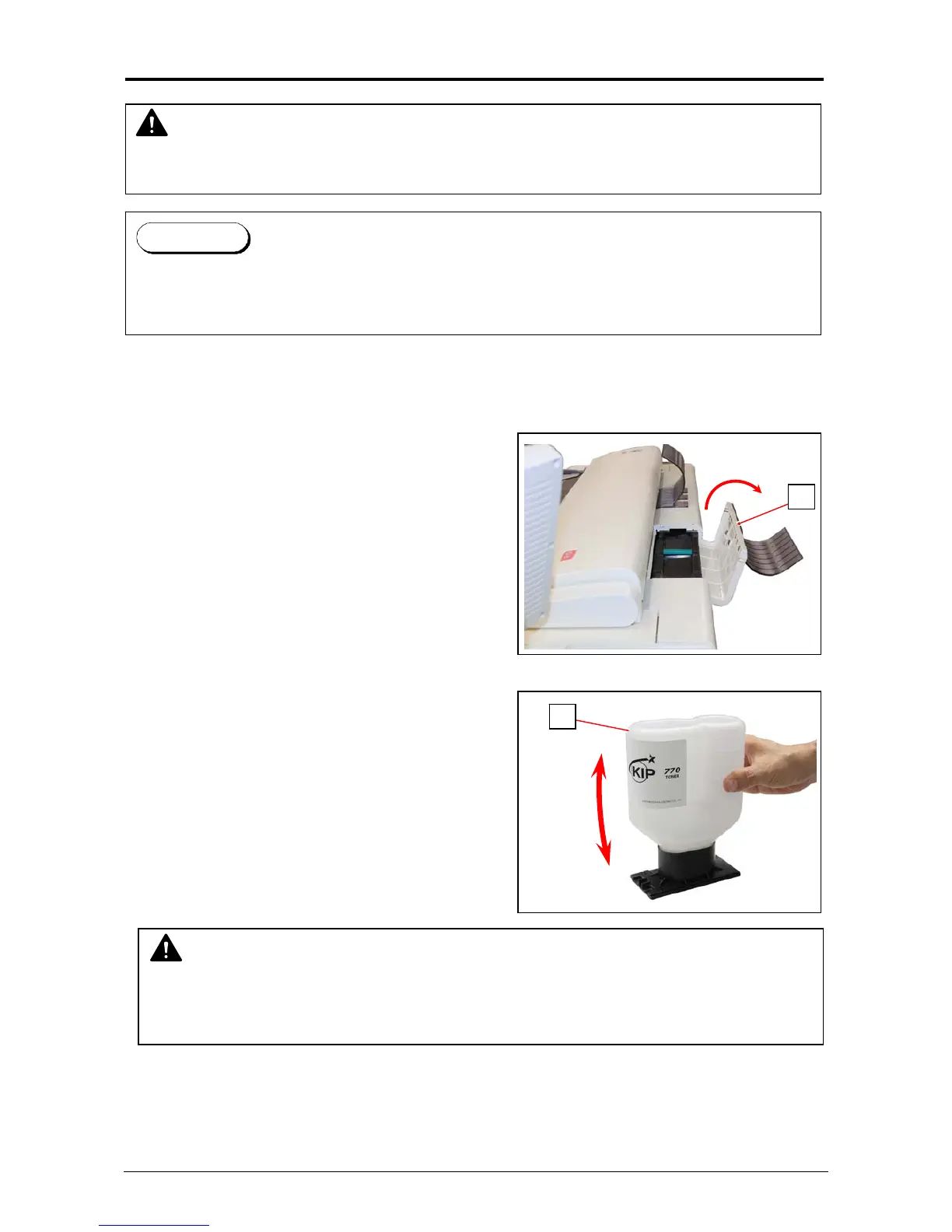
1. Open the Toner Hatch (1) on the rear top.
You do not have to remove the Original Guide.
2. Shake the Toner Bottle (2) several times to loosen
the toner.
NOTE
After you shake the Toner Bottle well, proceed the later step 3 and 4 as soon as possible.
Having a pause after step 2 may reduce smoothness of the toner. This would disturb a
smooth toner supply from the Toner Bottle to the printer.
2
WARNING
There is combustible powder in the toner cartridge.
Do not burn up the used toner cartridge.
1
When the toner is empty, the UI Screen will display “Toner Empty” sign.
Follow the later procedure (or as noted in the UI’s User Guide) to Supply the Toner with a new
one (genuine).
Reference



 To Next Page