Novar 1xxx KMB systems
13
1.9.1.3 Controller Parameters
You can view controller parameters by pressing the P button (parameters). First the parameter
number shows momentarily and then its value does. The parameter number flashes momentarily
every five seconds for better orientation.
The parameters can be divided into three main groups:
• Parameters determining controller functions. These parameters can be set to direct the
control process. There are target power factor, control period, reconnection delay time,
etc.
• Parameters indicating controller’s current condition. This is the alarm (parameter 40),
error condition (parameter 45), and control time (parameter 46). These parameters’
values are set by the controller and they identify nonstandard or error conditions and
monitor progress of the control process in detail.
• Total connected times recorded and numbers of connections of each compensation
banks, or sections (parameters 43 and 44, respectively). These values are set by the
controller and the operator can only clear them.
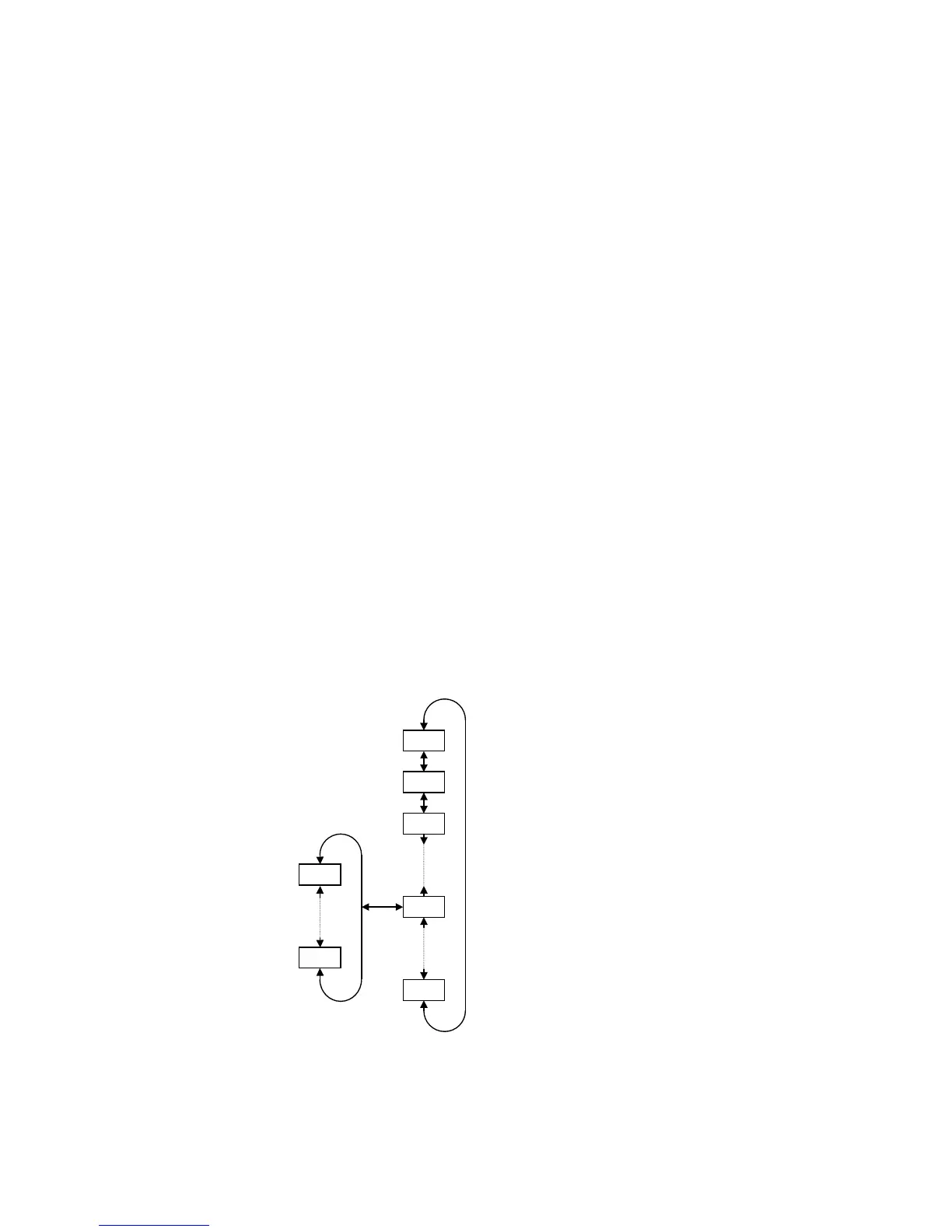
The parameters are organized by ordinal number in the main branch – see Figure 1.3. Some of the
parameters (parameter 25 – sectional power, 26 – fixed sections, 30 – alarm setting, 40 – state of
alarm, 43 – total connected times, 44 – number of sections connected) are located on side branches
for easier navigation. You can switch to a side branch with selected parameters by pressing button P
(parameters) and switch back to the main branch in the same way. Side branch parameter displayed
are identified by a dash between the parameter number and value. For example: in the main branch,
while showing parameter 26 (fixed sections), you will see 01 C
01 C01 C
01 C (section 1 is a capacitive
compensation one); if you want to display conditions of the other sections, you need to switch display
to the side branch by pressing button P; the display will change to 01
0101
01–
––
–C
CC
C and now you can move up
and down the branch, through all sections’ values. Pressing button P again returns display to the main
branch (the dash disappears).
Figure 1.3: Parameter Display – Structure
Pressing button M (measurement) returns to the instantaneous value display mode. The controller
gets back to this mode automatically in about 30 seconds from the last press of button.
main branch
side branch
P-01



 To Next Page