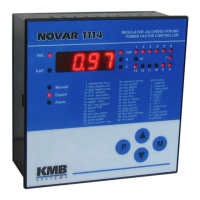
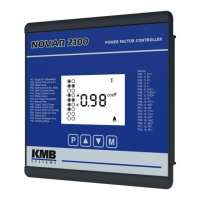
Novar 1xxx KMB systems
48
For the symmetric mode activation, set the parameter 27 to value S
SS
S.
4.5 Control Interruption
If the controller is in the automatic control mode (not in the Manual mode), one of the values
measured is shown on the numeric display (Measurement display mode) and the controller carries
out control process based on the values measured and parameter settings.
If you switch to parameter display, the control process will be interrupted. Output relays will stay in the
state they were at the moment of switching over the display mode. The controller assumes the
operator wants to check or change some of the parameters and it does not change the state of
outputs until this has been finished (provided no nonstandard conditions, such as measurement
voltage failure, have occurred, of course). At the moment of switching back to display mode, the
instrument continues the control process.
If the operator did not switch back to the Measurement display mode, the controller would switch to
the mode automatically in about thirty seconds from the last button press.
An exception is showing the control time (parameter 46) – in this event the control interrupted will
resume for operator to be able to check control process operation. The display will switch to showing
instantaneous values after about 5 minutes automatically.
Analogously to control interruption, the automatic connection configuration detection process or
automatic section power recognition process will be interrupted by the above mentioned procedure if
in progress. It, however, starts over from the beginning again once resumed.
4.6 Manual Mode
When installing or testing the controller it may sometimes be required to check the function of each
compensation section or it is necessary to put the automatic control process out of operation for
a rather long time.
In such situations, you can switch the controller to a mode in which it only carries out measurements
and displays the values. You can switch to this mode by pressing buttons M and P ( or buttons ▲
and ▼ for Novar 10xx models ) and holding them down simultaneously for about 6 seconds (until the
Manual LED starts flashing). You can switch back to the automatic control mode analogously.
You can not view or edit the controller’s parameters in the Manual mode – you can only close or open
each of the controller’s outputs.
On switching the regulator to the Manual mode, the outputs stay in the state they were in during the
control process before switching over the modes. You can then change the states of the outputs
manually – after pressing button P ( ►) the state of a corresponding output is shown (for example
01-0
01-001-0
01-0, which means output 1 is off – contacts open) and you can scroll through them all using
buttons ▲, ▼ and edit them very much like the instruments’ parameters. The outputs’ states change
while being edited, respecting the reconnection delay time specified.
If the controller is in the Manual mode and there is a supply voltage failure, the Manual mode is
resumed on power recovery. At this, all outputs that were on before the failure get switched on one by
one again (the states of outputs are remembered).
Warning ! Alarm actuation ( parameter 30 ) is disabled in Manual mode !



 To Next Page