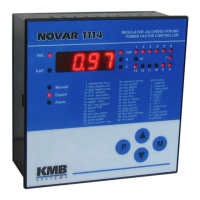
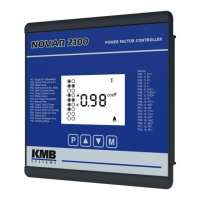
Novar 1xxx KMB systems
27
Ed=0
Ed=0Ed=0
Ed=0 ......… edit disabled
Ed=1
Ed=1Ed=1
Ed=1
......… edit enabled – parameters can be edited, recorded measurement values can
be cleared
If Parameter Edit is locked, you can unlock it using the following procedure, which is similar to editing
the controller’s parameters:
1. Switch controller to parameter display mode by pressing button P to display parameter 00 ( or
list with buttons ▼, ▲to parameter 00 for Novar-10xx models ) - Ed=0
Ed=0Ed=0
Ed=0 is displayed
(controller must not be in the Manual mode).
2. Press button P ( ► ) and hold it down until the last character on the display starts flashing. A
digit between 0 and 9 will be shown on the last digit position. As an example you can imagine
5 is displayed so the display shows Ed=5
Ed=5Ed=5
Ed=5 with the 5
5 5
5 flashing.
3. Press the following sequence: ▼, ▲, ▲, ▼. If 5
55
5 was shown as the last display digit, it
would change to 4
44
4 - 5
55
5 - 6
66
6 - 5
55
5, so the same value is shown at the end as at he beginning.
4. Press button P ( ► ). The display will show Ed=1
Ed=1Ed=1
Ed=1, indicating correct password and
enabled Parameter Edit while clearing recorded measurement values.
The digit shown while entering the unlocking keypress sequence is random generated by the
controller and it is not important for its correctness (it is there only to confuse). Only the sequence of
buttons pressed is important.
Parameter Edit mode is enabled until it gets disabled by the operator. Parameter Edit enabled or
disabled conditioned is retained in the instrument even on power off.
Parameter Edit can be disabled in a way analogous to enabling it but you press buttons different from
the correct unlocking keypress sequence.
4.1.2 Parameter 01/07 – Target Power Factor
The value of target power factor for metering rate 1 (parameter 01) or metering rate 2 (parameter 07)
can be specified in the range from 0.80 lag to 0.80 lead.
If a more precise setting is required around power factor equal to 1.00, you can specify the phase shift
angle from +10 to –10 degrees instead of the power factor value. The phase shift angle setting mode
is scrolled to by pressing the ▲ key while editing the parameter until the phase shift angle value
required is displayed, which is marked with a degree symbol, for example 10
1010
10
o
oo
o
means +10°.
If the parameter is specified as a phase shift angle in degrees, the bandwidth on high loads is
displayed in degrees too (see parameter 04/10 further below).
If the decimal point in the power factor value is blinking, it means that offset control is activated (see
parameter 63).
4.1.3 Parameter 02/08 – Undercompensation Control Time
The value for metering rate 1 (parameter 02) or metering rate 2 (parameter 08) can be specified in the
range from 5 seconds to 20 minutes: 0.05 - 0.10 - 0.15 - 0.20 - 0.30 - 0.45 -1.0 - 1.30 - 2.0 - 3.0 - 4.0 -
5.0 - 7.0 - 10.0 - 15.0 - 20.0 (the number before decimal point specifies minutes, that after decimal
point specifies seconds). The value specifed determines the frequency of control interventions under
the following conditions:
• instantaneous power factor is more inductive than the value required –
undercompensated



 To Next Page