MDC-7000/7900 Series Chapter 4 Setup after installation
0092669002-07 4-3
(5) Press ENT key to save the adjustment result.
Adjustable value: -180.0 to +180.0
Note: When you use inter-switch mode at first time, please set Heading (HL OFFSET) adjustment of
each antenna. These setting data are memorized in non-volatile memory, and applied
automatically when each antenna is selected.
4.1.3 Transmitting delay time adjustment (TX DELAY)
This adjustment is intended to match the picture on the radar display with the distance of an actual
target by the adjustment of the transmission delay time. For the most accurate adjustment, find a close,
hard, long, straight object such as a quay wall. Select or chose within 100 m an object for the best
result. Transmitting delay time is adjusted in accordance with the following procedures.
(1) Change the range scale to 0.25 NM by pressing “+” (or “-”) key on the Operation unit.
(2) Press MENU key to display “Menu”.
Select [MAINTENANCE] => [STARTUP] => [TX DELAY] => [VALUE] will show the current
setting of the input value by highlighting the last digit value by the trackball.
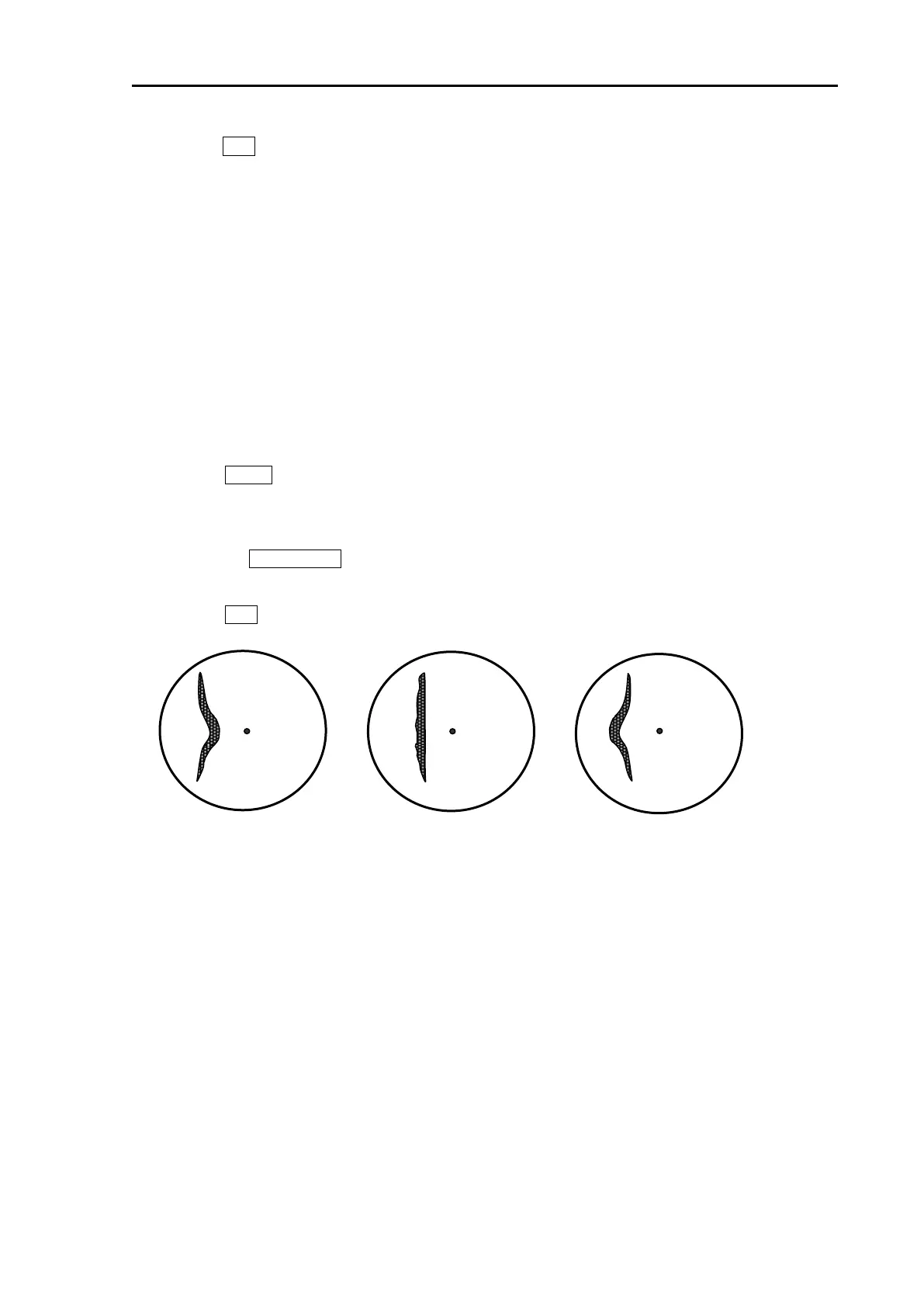
(3) Move the TRACKBALL up or down to adjust the value to get a straight picture of the straight
object in the display as shown in Figure 4.1.
(4) Press ENT key to save the adjustment result.
Note: When you use inter-switch mode at first time, please set TX DELAY adjustment of each antenna.
These setting data are memorized in non-volatile memory, and applied automatically when each
antenna is selected.
Figure 4.1 Picture display of Trigger Adjustment








 To Next Page