Chapter 4 Setup after installation MDC-7000/7900 Series
4-4 0092669002-07
4.1.4 Antenna height (ANT HEIGHT)
Set up antenna height from sea level.
(1) Press MENU key to display “Menu”.
Select [MAINTENANCE] => [STARTUP] => [ANT HEIGHT] => and set antenna height from the
sea level by the trackball, then press ENT key to save the setting.
Setting value: 0 to 100 m
4.1.5 Antenna cable length (ANT CABLE)
This adjustment corrects the echo signal level by the difference of the antenna cable length.
Improper setting of antenna cable length may result in degraded target detection.
(1) Press MENU key to display “Menu”.
Select [MAINTENANCE] => [STARTUP] => [ANT CABLE] => and set cable length by moving the
trackball, then press ENT key to save the setting.
Setting value: 0 to 100 m
Note: When you use inter-switch mode at first time, please set ANT CABLE adjustment cable of each
antenna. These setting data are memorized in non-volatile memory, and automatically when
each antenna is selected.
4.1.6 Main Bang Suppression (MBS)
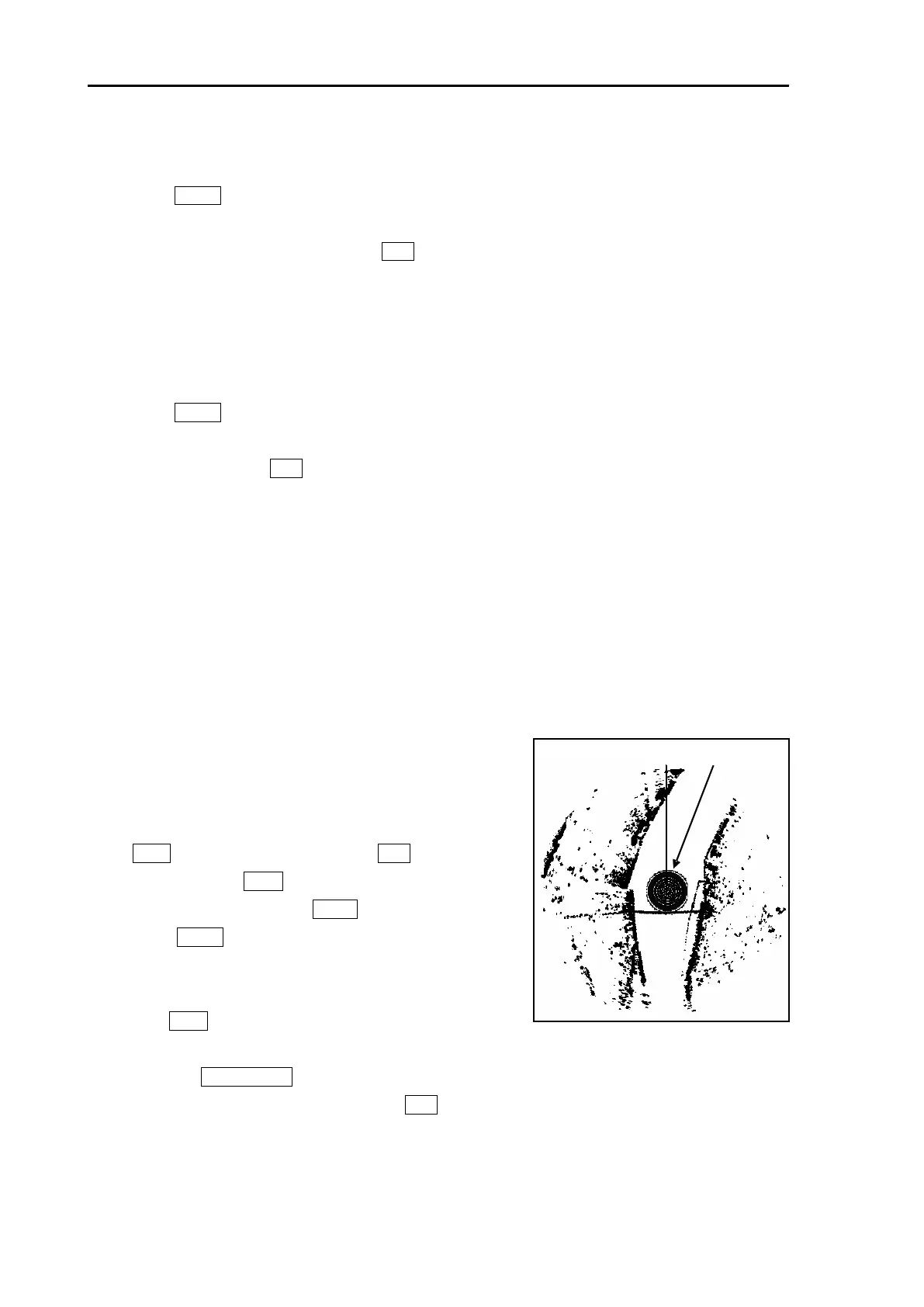
This setting is utilized to suppress the center spot signal at the middle of the picture as shown in Figure
4.2.
(1) If GAIN mode is AUTO, change to MAN mode.
(2) Set the range scale to 0.25 NM, set RAIN at 0 by turning
RAIN knob, set SEA at 0 by turning SEA knob, set GAIN
at 80 by turning GAIN knob, and set BRILL at a
maximum level by turning BRILL knob respectively.
(3) Press MENU key to display “Menu”.
Select [MAINTENANCE] => [STARTUP] => [MBS] => to
highlight the last digit value, by moving the trackball.
(4) Turn GAIN knob to counterclockwise to display center
spot in the middle of the picture.
(5) Move the TRACKBALL up or down to increase [MBS] value from 0 with observing the center
circle until the circle is faded out. Press ENT key to save the setting.
Adjustable value: 0.000 to 2.000



 To Next Page