MDC-7000/7900 Series Chapter 3 Installation method
0092669002-07 3-25
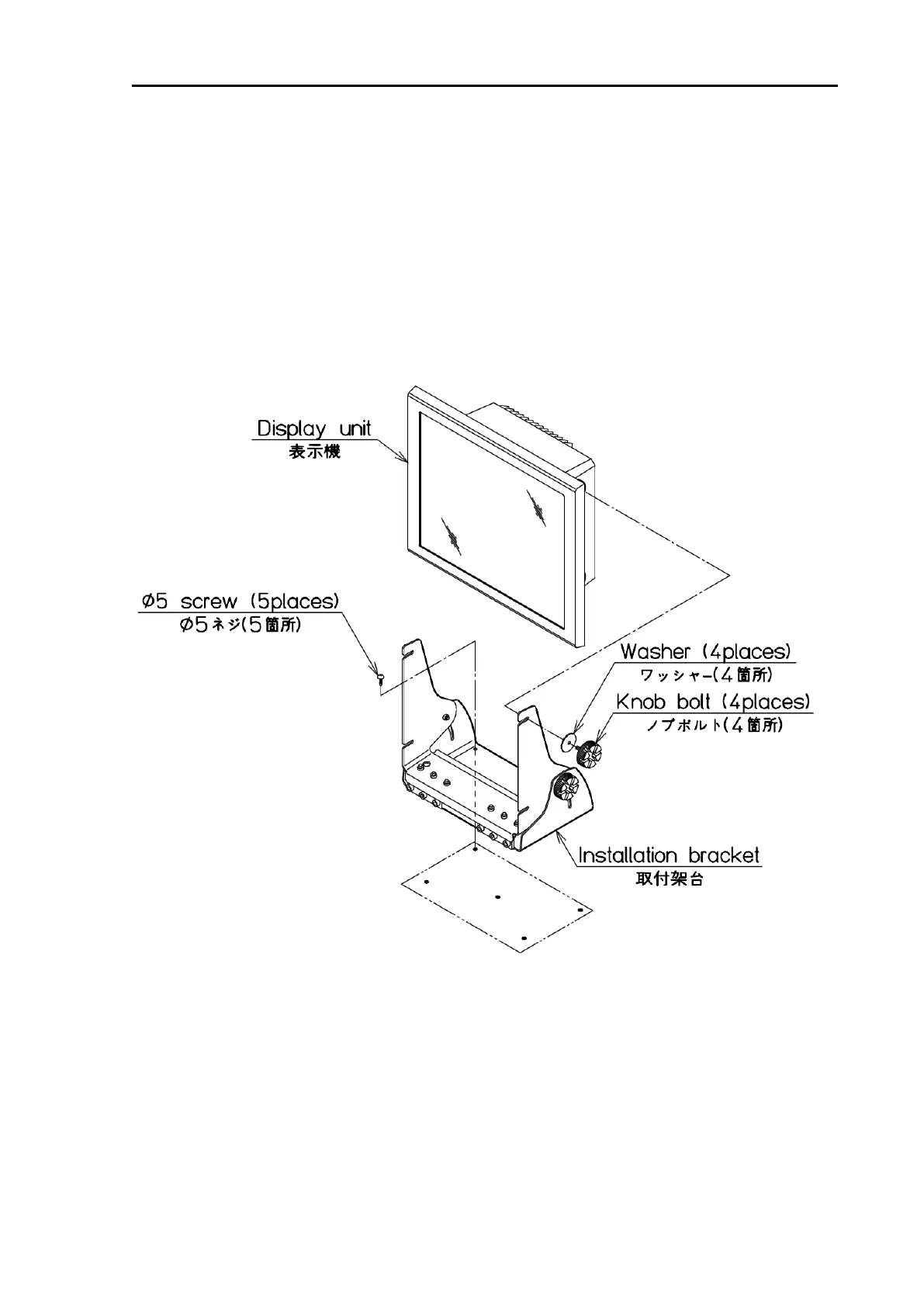
Figure 3.5 Diagram of installation procedure on the table
3.3.1 Installation of MRD-108
3.3.1.1 Tabletop mounting of MRD-108
(1) Remove four knob bolts from which the Display unit is secured on the mounting bracket.
(2) Remove the Display unit from the mounting bracket and put it on a stable, flat and horizontal place.
(3) Place the mounting bracket in the appropriate setting position and secure it with five M5 screws.
(4) Remount the Display unit on the mounting bracket and secure it with knob bolts which were
removed in (1)








 To Next Page