MDC-7000/7900 Series Chapter 3 Installation method
0092669002-07 3-27
3.3.1.2 Flush mounting for MRD-108
Preparation:
Installation:
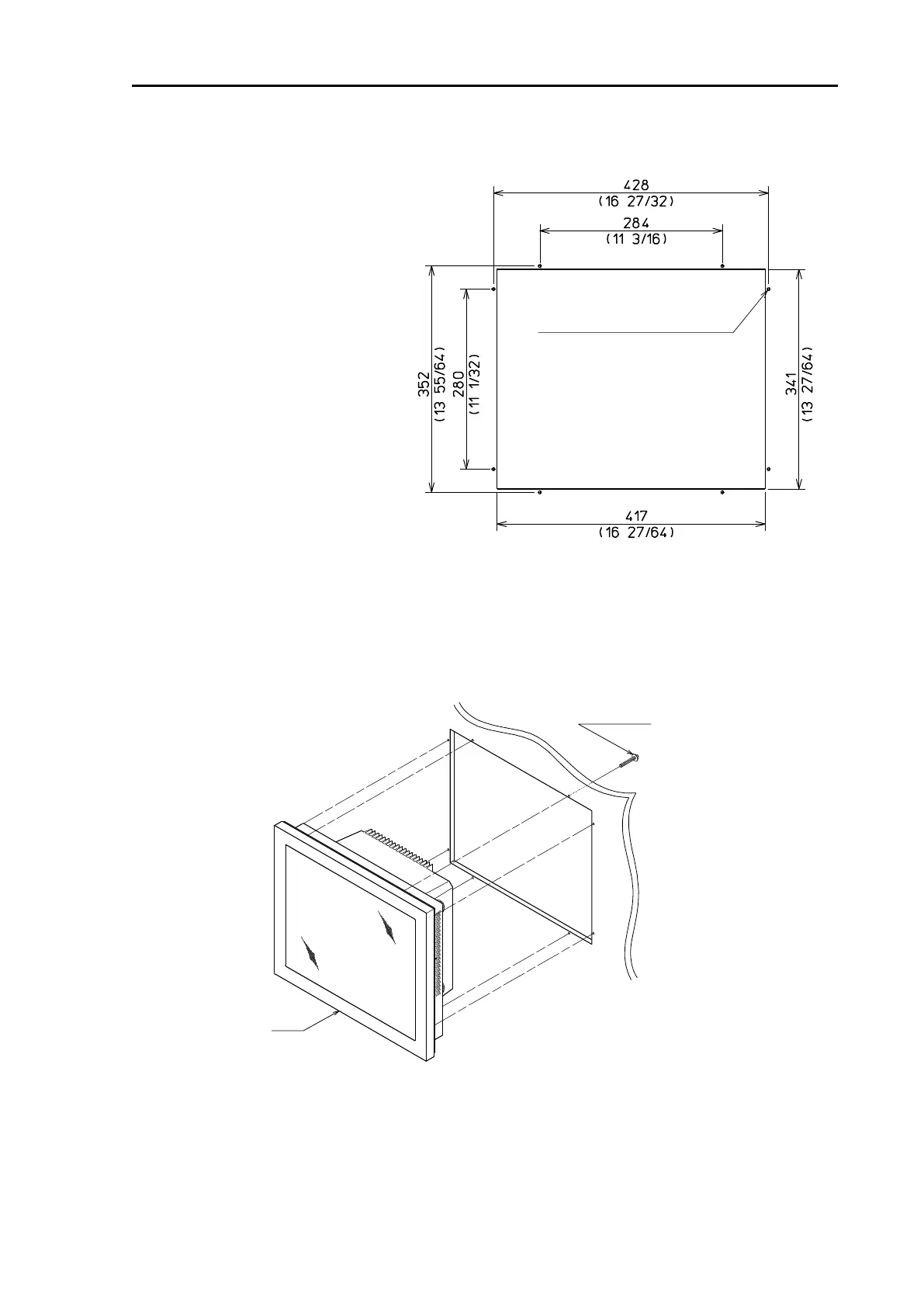
(1) Place the Display unit in the precut opening on the panel.
(2) Secure the Display unit with eight M4 screw as shown in the following figure.
(1) Cut an opening and drill eight
4.5 mm holes as shown in Figure
3.7, for attachment of a Display
unit in a panel.
(2) Unscrew four knob bolts that
hold the Display unit to the
mounting bracket.
(3) Remove the Display unit from
the mounting bracket and put it on
a horizontal and stable place.
Figure 3.7 The opening and nut-holes for Display unit
Figure 3.8 Flush-mount Installation



 To Next Page