Timer Transmission - (continued)
6-45
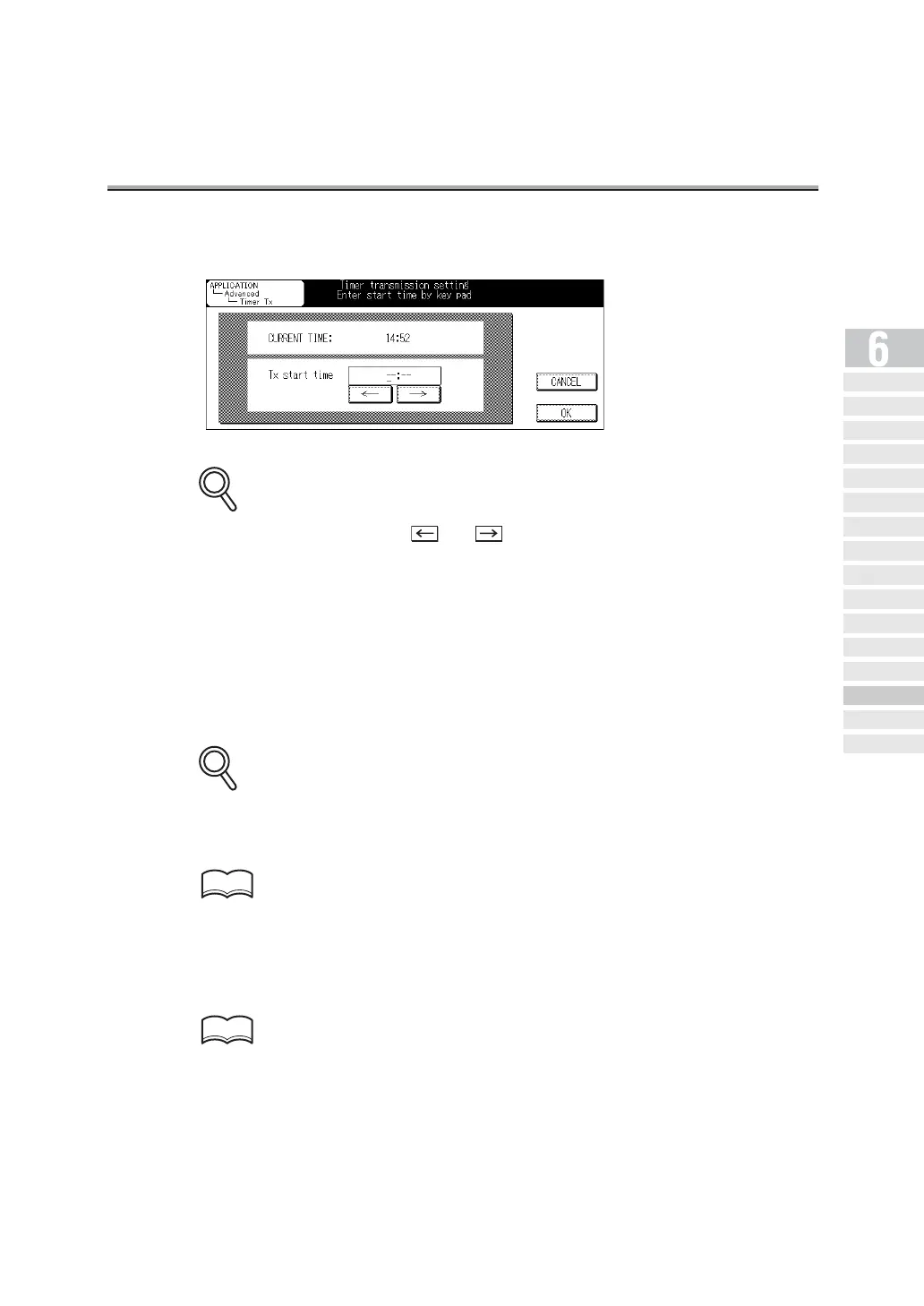
4. Designate the time to start communication from the key pad.
• When entering the time, use and to move the cursor from digit to digit.
• "Hour" and "minute" of the time to start communication are displayed in the 24-hour style,
and entered in two digits.
For example: To set the time to start communication at 9:07 p.m., input "21" and "07."
5. Press OK.
You return to the FAX Application Menu screen.
6. Press OK.
You return to the FAX Basic screen.
To exit Timer Tx, press CANCEL.
7. Set other functions if necessary.
See "Setting Transmission Conditions" (p. 6-10) for information about setting functions in the
Fax Basic screen. See "Opening the Application Screen" (p. 10-2) for information about set-
ting functions in the Fax Application Menu screen.
8. Designate the remote station(s).
For detail, see "Selecting a Remote Station" (p. 6-14).
DETAILS
DETAILS
HINT
HINT
Simple FAX
Transmission
Placing the Or iginal
on the Machine
Setting Transmission
Conditions
Selecting a
Remote Station
Sc anni ng
Tran smit ti ng
Reserving
Transmission
Manua l Tra nsmi ssi on
Cancelling
Transmission
Co nfi rming Re se rved
Do cum en ts
Confirming
Communication Results
Memo ry
Transmissions
Total Page Set
Timer
Transmission
International
Communica tion
Sender
Information


 To Next Page