Folded Original - (continued)
10-24
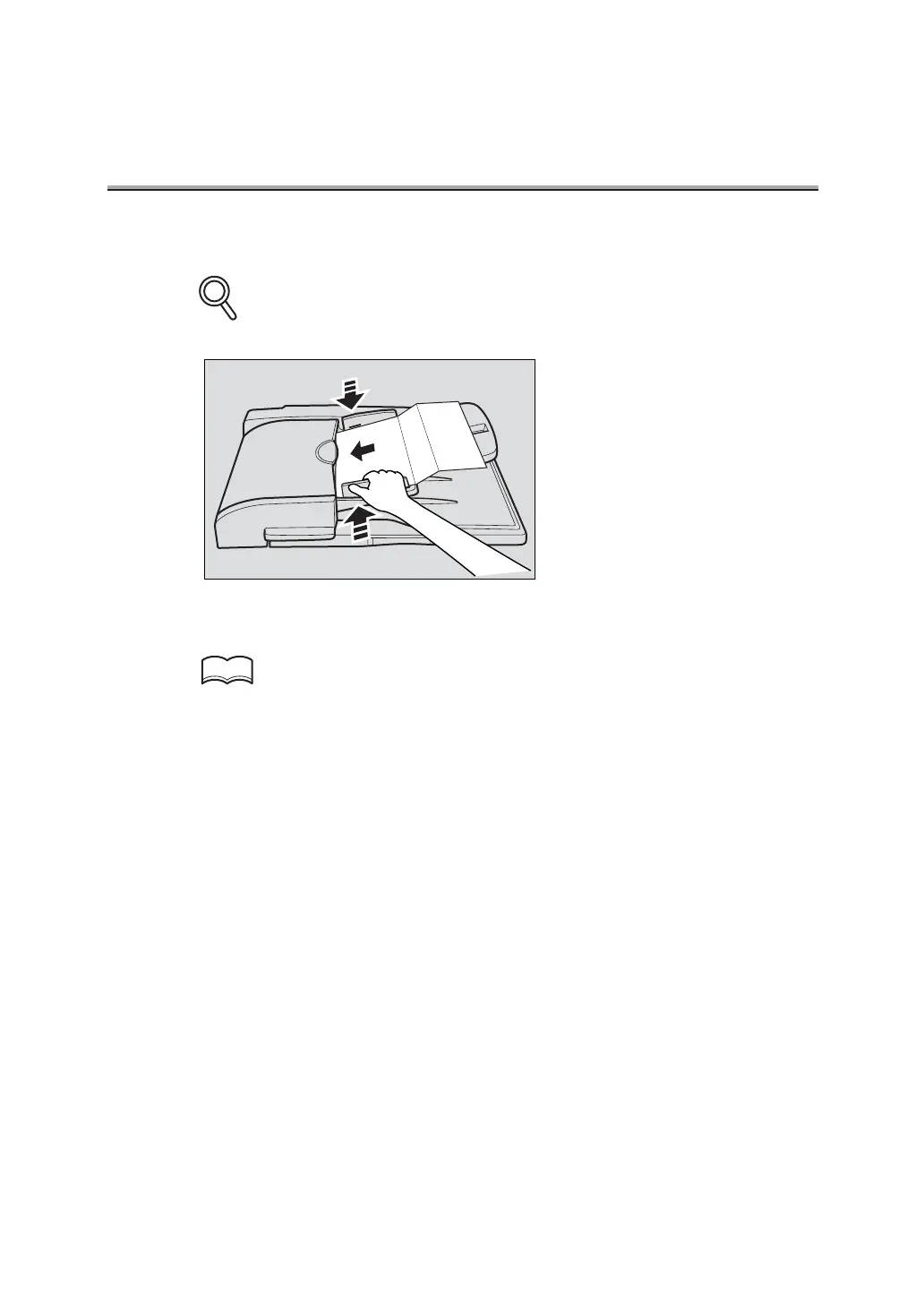
9. Place the document with the image FACE UP.
See "Placing the Original on the Machine" (p. 6-5) for setting the document.
10.Press [START].
The FK-102 Type-A stores the document in memory before starting transmission.
•
To cancel transmission, see "Cancelling Transmission" (p. 6-34).
• If the remote station is not ready to receive, your call will be redialed. For information
about redialing, see "Redialing" (p. 6-25) in "Selecting a Remote Station".
• If transmission fails, refer to "Cannot Send Messages" (p. 8-2).
DETAILS
HINTS


 To Next Page