LCDbrightness
Power save
Inst.Playback
Language English
None
Off
1 min.
–
Lens acc.
87
The setup menu is used to control the camera’s functions and operation. The navigating
the setup menu section covers the operation of the menu. The section is followed by
detailed descriptions of the settings.
OPENING THE SETUP MENU
SETUP MENU
Anti-sh
Image
Quality
Auto D
Drive mode
Image size
Quality
Auto DSP
Anti-shake
Drive m
Setup menu
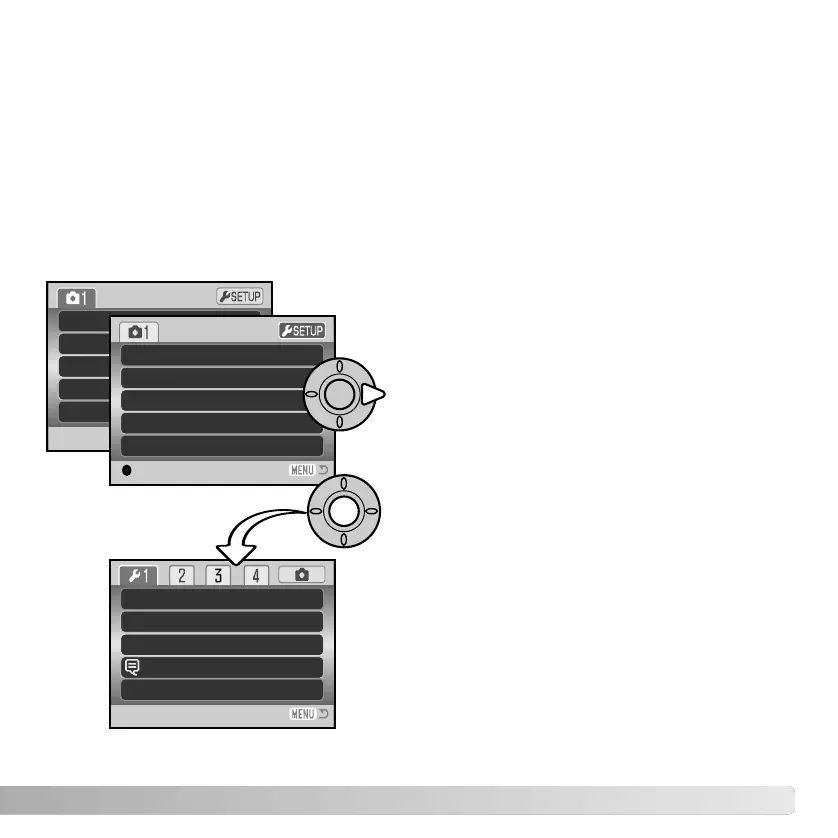
The setup menu is opened from the other menus. It can be accessed from any of the
recording or playback menus.
Press the central button of the controller to
open the setup menu.
Disp. + Exp.
On
Standard
2816x2112
Single
Use the right key of the controller to highlight
setup tab at the top of the menu.
Reverse the procedure to return to the original
menu. Pressing the menu button closes the
menu and returns to the recording or playback
modes.
:enter



 To Next Page
 Loading...










