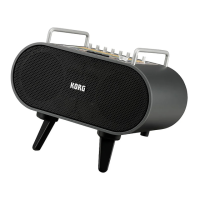
STAGEMAN 80 Owner's manual
16
Recording your own performance
together with the rhythm style
In Rhythm mode you can record your own performance
along with the rhythm style.
Create a rhythm style chain ahead of time for the song that
you want to perform (see page 21 “Creating a chain”).
Our example here explains how to record using a chain that
you’ve already registered.
4
1,4
4
2
2 4
3
5,7
3
3
1
Getting ready to record
The recorded data is saved on an SD card inserted in the
SD card slot. In order to record, insert the SD card into the
SD card slot before you turn on the power (see page 10
“Inserting or removing an SD card”).
1. Connect your mic or instrument.
See page 13 “Connecting and playing instruments”
Note: The Acoustage function cannot be used while
recording.
2. Select a chain.
Press the [Chain/Playlist] buon to turn the chain function
on (the buon lights). Use the [F1] or [F2] buon to select
the chain that you want to play back.
In this example, press the [F1] buon to select the C01
chain. Specify the tempo as desired.
3. Put the STAGEMAN 80 in the record-standby state, and
select the recording-destination song number.
Press the [ ] buon to enter the record-standby state
(the buon blinks).
The display indicates the song number (d01, d02...). The
number of an unrecorded song blinks, and the number of
an already-recorded song is lit.
Use the [F1] or [F2] buon to select the song number that
you want to record.
Tip: If there is an unrecorded song (new song), the
lowest-numbered new song is selected automatically.
If you select a previously-recorded song number
(whose song number is lit) and then start recording, the
previously recorded data is lost and overwrien by the
newly recorded data.
4. Adjust the recording level of the rhythm style and the
mic or instrument.
Set the volume of the rhythm style by turning the
RHYTHM/PLAY knob to the 3 o’clock position. Use the
MIC knob and the (INPUT) 1 and 2 knobs to adjust the
volume level of your mic or instrument accordingly.
Note: In the record-standby state or during recording
(when the [ ] buon is blinking or lit), the three LEDs at
the left of the display operate as the recording level meter.
Adjust the knobs listed above so that the top LED ickers
occasionally.
To check the recording level of the rhythm style, press the
[ ]
buon and make adjustments while you record.
When you’ve nished making adjustments, press the
[ ]
buon to stop the rhythm style.
Note: The VOLUME knob does not aect the recording
level. If acoustic feedback occurs, use this knob to lower
the overall volume.
Start recording
1. Take the steps described in “Getting ready to record” on
page 16.
2. Press the [Count Start] buon to turn on the count start
function (the buon blinks).
Tip: The count start function inserts a two-measure count
after you press the [ ] buon before recording starts.
3. Press the [ ] buon to enter the record-standby state.
The LEDs above the [ ] buon and [
] buon blink.
4. Use the [F1] or [F2] buon to select the song number that
you want to record.
Note: Select the song number that you selected in step 3 of
“Geing ready to record” on page 16.
5. Press the [
] buon.
A two-measure count is sounded, and then recording
starts.
When recording starts, the LEDs above the [ ] buon
and [
] buon will light up (the [Count Start] buon
goes dark).
6. Perform along with the rhythm style.
Tip: If you like, you can initially record just the rhythm
style for which you specied a chain, and overdub your
performance afterward. (See page 17 “Overdubbing
onto a recorded song”).
7. When you’ve nished performing, press the
[ ]
buon to stop recording.
You can listen to the recorded song in Recorder mode.
(See page 17 “Playing back the recorded performance”)
Tip: If the chain contained a stop seing, it stops
automatically.


 To Next Page