Mod List page
49
Mod List page
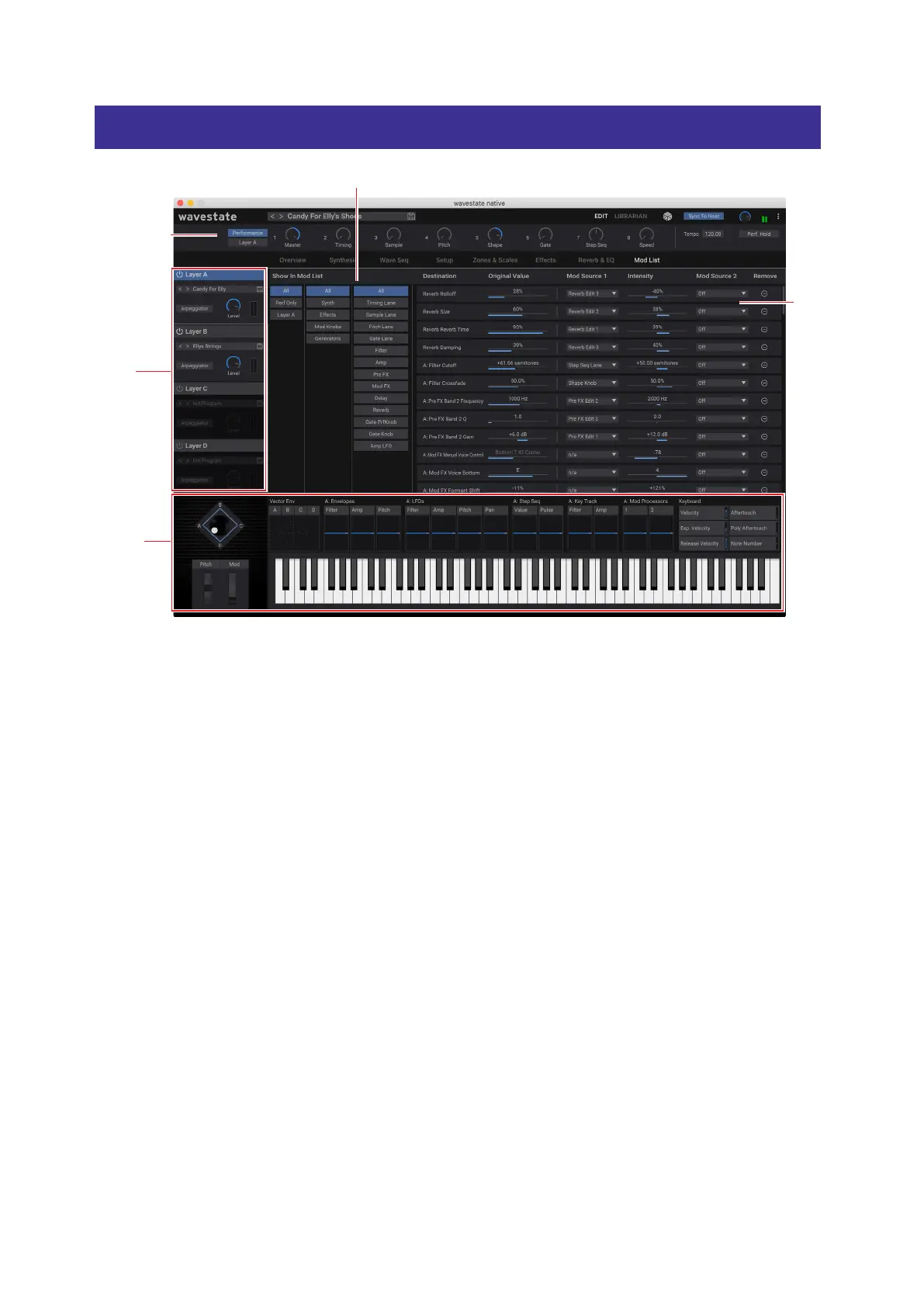
1. Show In Mod List
2. Mod List
3. Mod Knobs
4. Layer
Select
5. Mod
Sources
is page gathers together all of the modulation sources and modulation routings into a single screen. You can even
edit the original values of the modulated parameters, along with all of the modulation settings.
1. Show in Mod List
is section lets you lter the Mod List to show only the routings that you’re interested in. ere are three columns,
ordered from le to right, each of which lters the next.
Column 1 lets you select All modulations, only modulations at the Performance level (such as modulation of the
Master Reverb, or the Vector Envelope), or modulations for the currently selected Layer.
Column 2 lters by either destination category (such as Synth or Eects) or source category (such as Controllers or
Generators).
Column 3 lters more specically, such as by specic synth section (such as the Filter) or a specic controller (such as
the Mod Wheel).
2. Mod List
is shows all of the modulation routings which match the criteria set in the Show in Mod List section. You can change
mod source selections, adjust modulation Intensities, delete modulation routings, and even edit the value of the
original parameter.
Note: built-in modulation routings, such as Filter Envelope modulation of Filter Cuto or Pan LFO modulation of Pan,
are not shown here.
3. Mod Knobs
e Mod Knobs are available here, along with all of the other Mod Sources in the footer at the bottom of the window.
4: Layer Select
ese select which of the Layers is shown in Column 1 of the Show in Mod List section, as described above.



 To Next Page