15
Removing the Jig from the DockingStation
If you want to use the jig without the docking station, you can remove it from the docking station.
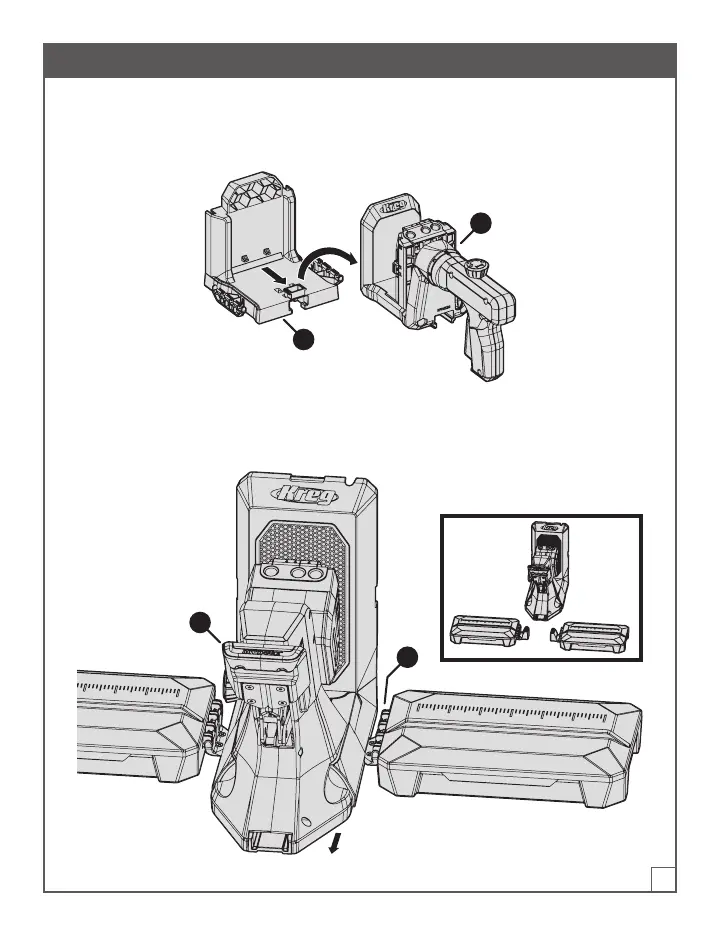
Removing a Kreg 500-Series Jig
Grasp the jig (1) rmly and pull it toward you to slide it off the dock base (2).
1
2
Removing a Kreg 700-Series Jig from a Mounted Docking Station
With the jig handle (3) facing you, slide the jig toward you until the jig disengages from the dock
adapters (D). Then lift the jig off the dock adapters (D).
3
D


 To Next Page