Servicing the Timeclock
Series 4000 Badge Timeclock User’s Guide 4-29
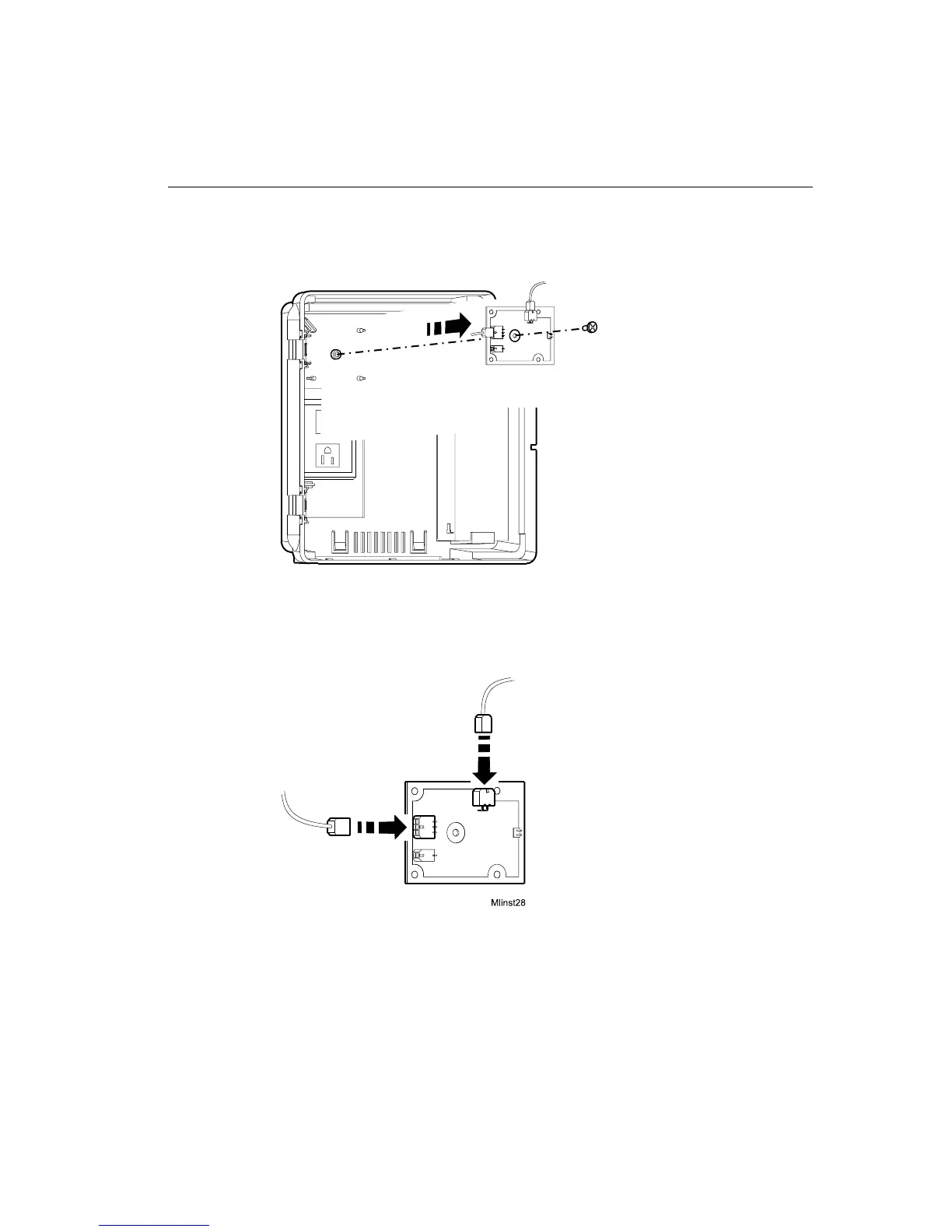
7. Loosen the screw in the center of the battery charger board and remove the
board from the timeclock.
8. Unplug the cables from the connectors on the charger board.
9. Plug the cables into the connectors on the new charger board. Match the ends
of each cable with the appropriate pin connector on the charger board.
10. Re-install the battery charger board into the timeclock.
11. Reconnect the wires from the charger board to the battery terminals.
Mlinst38



 To Next Page