This page contains Kval, Inc. proprietary information and is not to be duplicated or disclosed to unauthorized persons.
38
measurement. The chipout adjustment shims on the top of the routing carriage need only be added or
removed; Spacer Stop pins inserted into the “H” block, and adjust the cylinder center line.
To adjust reveal for different thickness exterior doors, there are a few simple steps to follow:
1. Turn off electrical power and air supply.
2. Place the appropriate Spacer Stop pins into the “H” block (behind the “H” block as you face
the machine).
3. Insert or remove the chipout adjusting shims at the top of the routing carriage as necessary.
4. Loosen the handle at the base of the routing carriage (below orange pancake cylinders).
5. Turn the round knob just above the handle you have just loosened to adjust the stroke of the
cylinders (Cylinder Centerline Adjustment Knob)
6. Re-tighten the handle above the cylinder centerline adjustment knob
7. Turn on electrical power and air supply.
High Frequency Router Depth Adjustment:
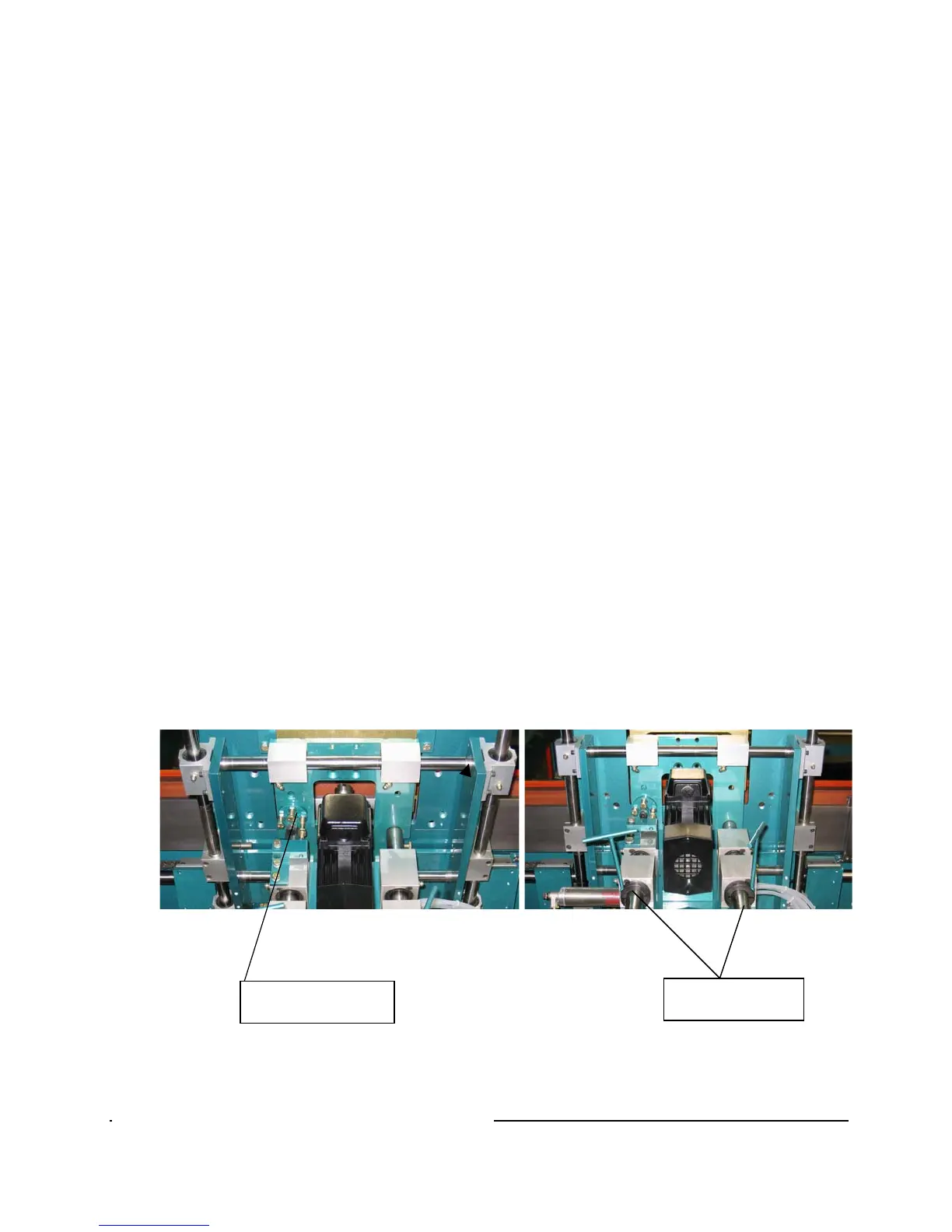
The High Frequency Router has special adjustments based on a turrets and 2 set collars. Loosen the 2 set
collars and rotate the turret to the desired bolt for the proper depth that you want to rout the hinge pocket
at. See the following pictures.
Turret Bolts for the Hinge
Depth
Set Collars for Depth
adjustments.



 To Next Page