EasyManua.ls Logo

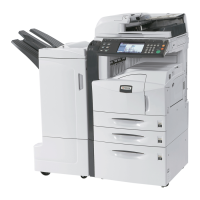
Kyocera KM-4035 - User Manual

Kyocera KM-4035
180 pages
Print Icon
To Next Page IconTo Next Page
Loading...
Operation Guide
C2525E
C3225E
C3232E
C4035E
Please read the Operation Guide before using this machine. Keep it close to the machine for easy reference.

Table of Contents

Other manuals for Kyocera KM-4035

Questions and Answers

  • J
    jillbyrdSep 23, 2025
    What to do if Kyocera Copier says 'Paper cassette is out of order'?
    • A
      annahowardSep 23, 2025
      If your Kyocera Copier displays 'Paper cassette is out of order' because the cassette currently in use is out of order and cannot be used, contact your service representative immediately. Continue copying using another cassette.
  • C
    Charles RamirezAug 23, 2025
    Why does my Kyocera KM-4035 All in One Printer say 'Ready to copy. Add toner'?
    • W
      Wesley CallahanAug 23, 2025
      The message 'Ready to copy. Add toner' on your Kyocera All in One Printer indicates that the toner level is low. Replace the toner container immediately because only one copy can be made at a time.
  • T
    Tyler HoffmanAug 25, 2025
    How to fix 'Add paper in drawer' message on Kyocera KM-4035 All in One Printer?
    • V
      Victoria StoutAug 25, 2025
      The 'Add paper in drawer' message on your Kyocera All in One Printer means the indicated drawer or cassette is empty. Load paper into the drawer or cassette.
  • N
    nathanielmorrisonAug 27, 2025
    What to do if Kyocera KM-4035 All in One Printer shows 'System error. Main switch off/on'?
    • E
      elliskaylaAug 27, 2025
      If your Kyocera All in One Printer displays the message 'System error. Main switch off/on', a system error has occurred. Turn the main power switch OFF and then ON to resolve the issue.
  • C
    Colleen WalkerAug 27, 2025
    Why does my Kyocera KM-4035 say 'Check paper size'?
    • J
      Jonathan CarrollAug 28, 2025
      The 'Check paper size' message on your Kyocera All in One Printer indicates that the loaded paper is not suitable for the selected mode. Check the paper to ensure it meets the requirements.
  • K
    Kenneth LewisSep 17, 2025
    How to close xxx cover x on Kyocera Copier?
    • N
      natalie21Sep 17, 2025
      If your Kyocera Copier displays 'Close xxx cover x', it means the indicated cover is open. Close the cover securely.
  • J
    Jasmine LeeSep 14, 2025
    What does 'Ready to copy. Add toner' mean on my Kyocera Copier?
    • P
      Patricia MunozSep 14, 2025
      If your Kyocera Copier says 'Ready to copy. Add toner', it indicates low toner. Replace the toner container immediately, as only one copy can be made at a time.
  • W
    William GibsonSep 15, 2025
    What to do if Kyocera Copier exceeds pre registered copying quantity?
    • R
      ramosstevenSep 15, 2025
      The message 'Exceeds pre registered copying quantity' on your Kyocera Copier means the number of copies has reached the limit set in the copy management mode. Clear the copy count from the management mode.
  • K
    Kevin GonzalezSep 6, 2025
    What to do if my Kyocera Copier shows a system error? (Kyocera)
    • S
      Stephen StewartSep 6, 2025
      If a system error occurs on your Kyocera Copier, turn the power switch OFF and then ON to attempt to resolve the issue.
  • A
    Arthur LarsenSep 3, 2025
    Why does my Kyocera All in One Printer say 'Exceeds pre registered copying quantity'?
    • B
      benjamin91Sep 3, 2025
      The message 'Exceeds pre registered copying quantity' on your Kyocera All in One Printer indicates that the copy limit set in the copy management mode has been reached, preventing further copies. Clear the copy count from the management mode to resolve this.

Kyocera KM-4035 Specifications

General IconGeneral
Print Resolution600 x 600 dpi
Copy Resolution600 x 600 dpi
Scan Resolution600 x 600 dpi
Fax Transmission Speed33.6 Kbps
Automatic DuplexingYes
Fax CapabilityYes
FunctionsCopier, Printer, Scanner
Gray Scale Half-Tones256
Supported Media TypePlain, Recycled, Transparency
Standard Media SizeA4, A5, B5
Scanner TypeFlatbed

Related product manuals