Operation
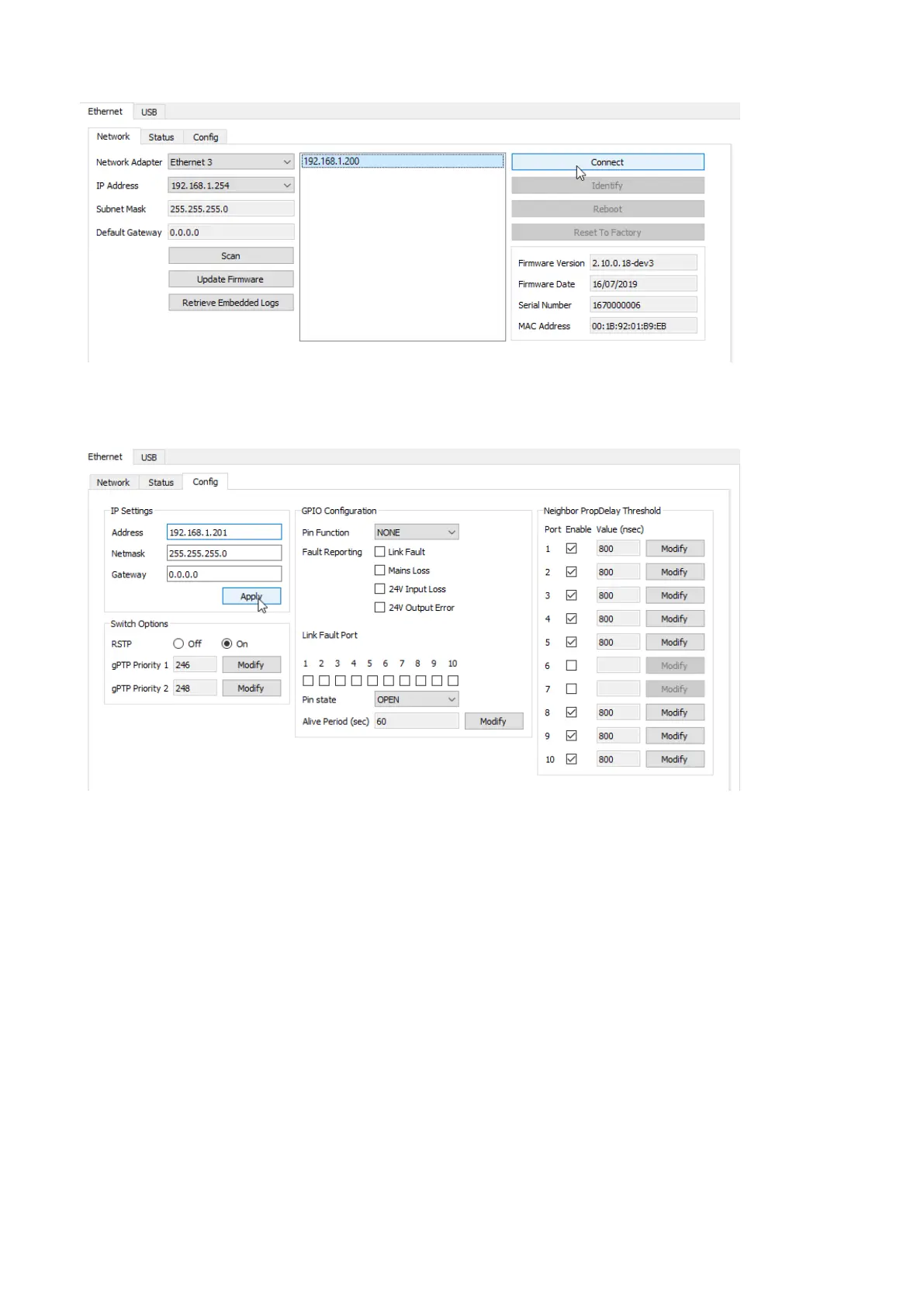
6. Select the detected switch and click Connect.
7. Go to the Cong tab.
8. Set a unique IP address on the same range, for instance 192.168.1.201.
Click Apply.
9. On the Network tab, click Disconnect.
10. Repeat the above procedure until all LS10 are congured.
What to do next
After all LS10 are set to a unique IP address, it becomes possible to interconnect them and modify their settings or
proceed to their rmware update from the Switch Conguration Tool.
LS10 owner's manual (EN) version 1.0 27


 To Next Page