Operation
Setting the IP via USB
If the IP addresses of the switches need to be set on a different subnet, then proceed as follows.
Basic use only
The USB tab is used to display and change the IP settings of LS10.
Connect the switch with an Ethernet cable and use the Ethernet tab for a complete conguration.
Procedure
1. Identify the IP address and the subnet mask of the network card of the computer on which LA Network Manager will
be run.
2. Open the application with LA Network Manager.
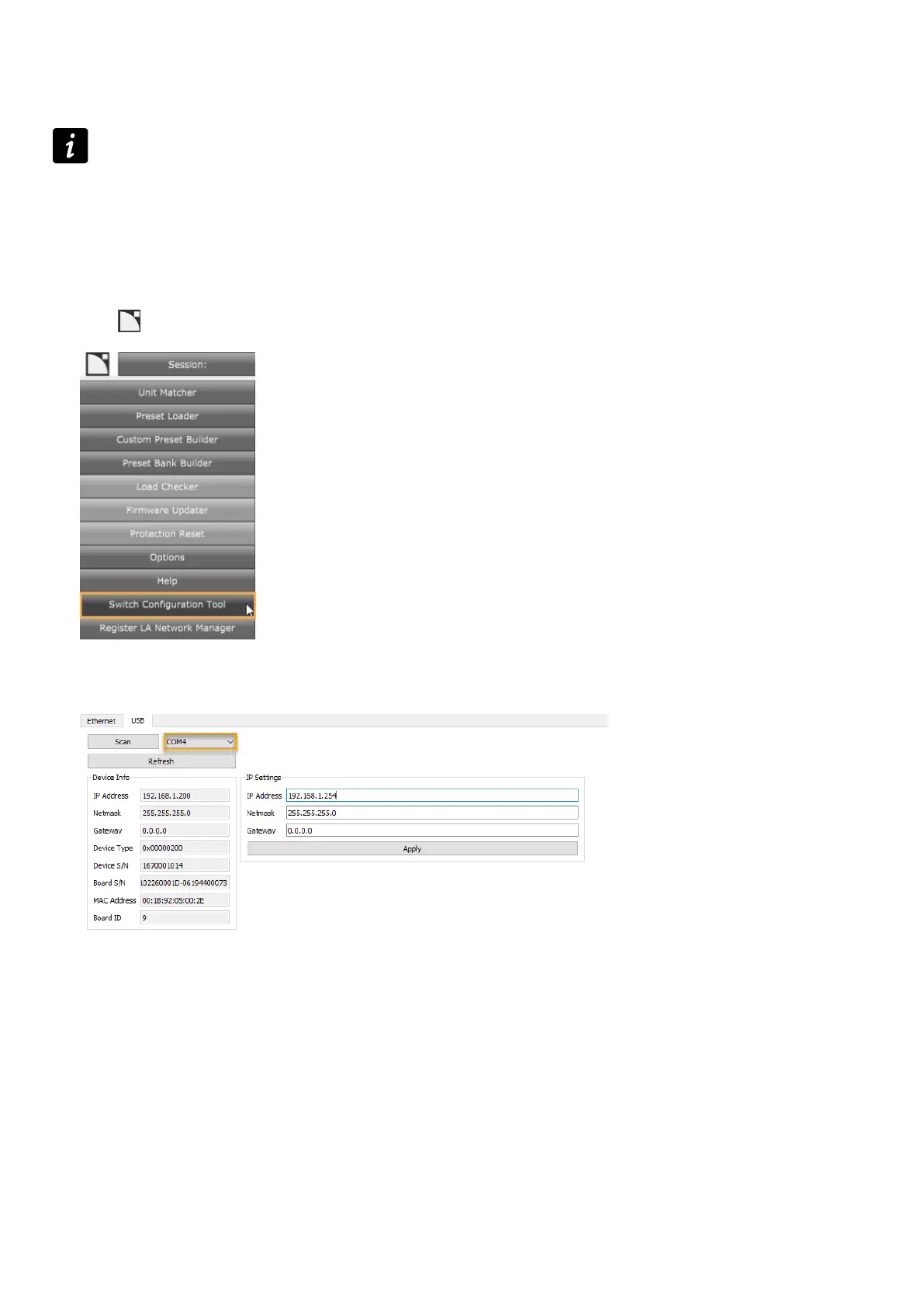
Click > Switch Conguration Tool
3. Go to the USB tab.
4. Click Scan to retrieve the list of serial ports on the computer. Expand the list to visualize the ports detected.
5. Connect LS10 to the computer with a USB cable.
6. Click Scan, and select the COM port that appeared in the list.
28 LS10 owner's manual (EN) version 1.0


 To Next Page