Operation
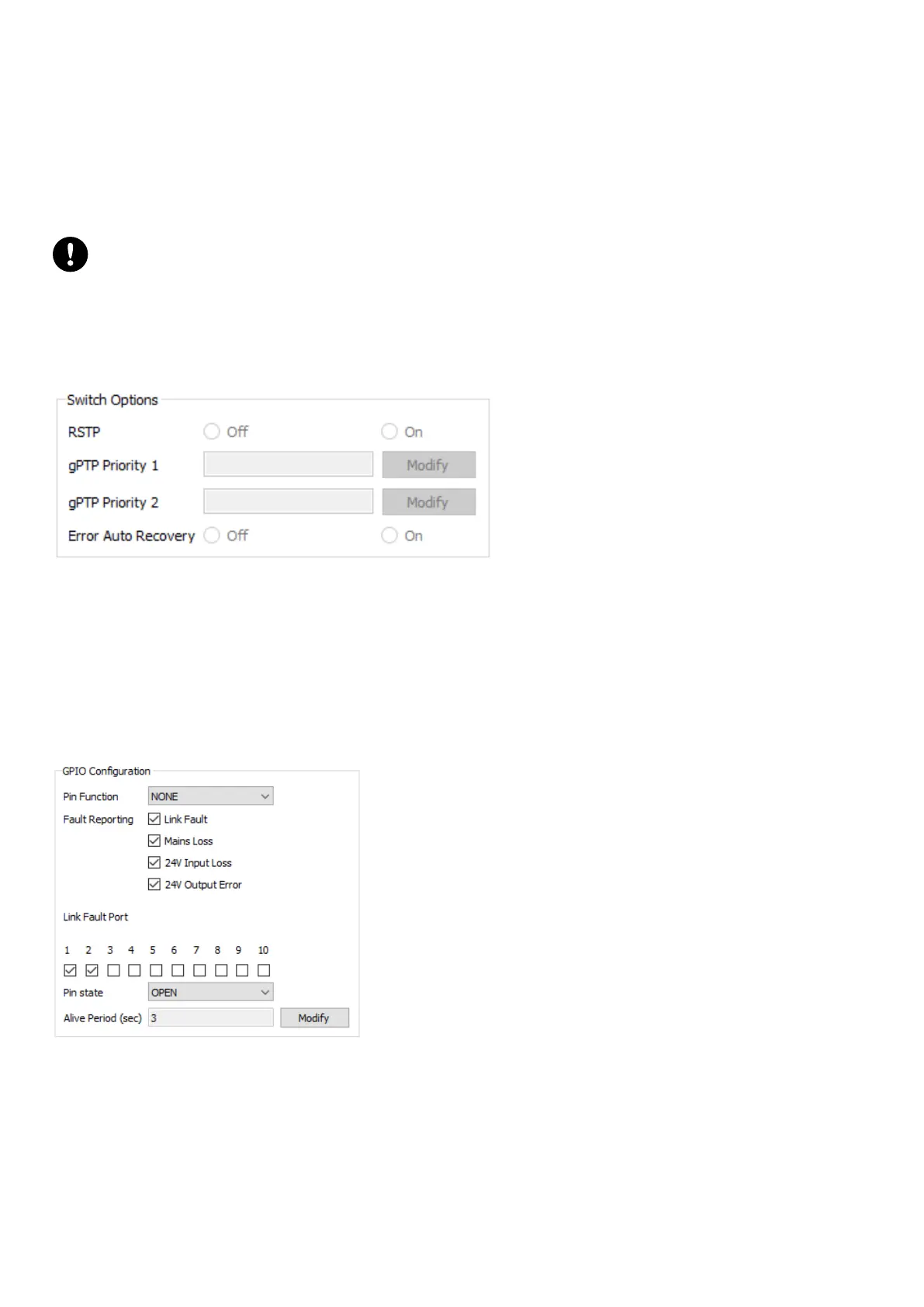
Switch Options
The Switch Options allows to activate the RSTP (Rapid Spanning Tree Protocol) features.
It is also possible to set the set the gPTP user-dened priorities (for inuencing the gPTP grandmaster selection).
The Error Auto Recovery is generally used in redundant network topologies. In case of optical link disconnection, the
FLT (Fault) LED may blink. In this case, it is necessary to reset internal components in order to recover from the optical
port incident. The Error Auto Recovery enables the automatic reset of LS10 in case of optical link disconnection. It
takes a few ms to apply.
Brief stream interruption
All the ports reset at the same time and this triggers a brief stream interruption even for streams forwarded by
copper ports.
In normal network topologies, it is instead recommended to manually reset the switch from the Status tab when
necessary.
The Error Auto Recovery is available from rmware 2.10.1.1. In former rmware versions, this feature is grayed out.
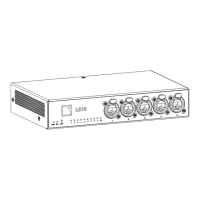
GPIO Conguration
The GPIO Conguration features different options to monitor and congure the LS10 GPO pins.
Use the Pin Function setting to congure the function for the pins (NONE, STATE, FAULT, ALIVE):
• NONE: pin is always OPEN.
• STATE: manually dene the pin state (use the Pin state setting).
• FAULT: select which faults should be reported by the pins (using Fault Reporting and Link Fault Port settings,
multiple selection is possible). The pins are in OPEN state when the faults occur.
• ALIVE: periodic toggle between OPEN and CLOSED state (use the Alive Period setting).
34 LS10 owner's manual (EN) version 1.0


 To Next Page