The FT Series Floor Standing, Combination Boiler
Page 67
5.8 Installer Parameters
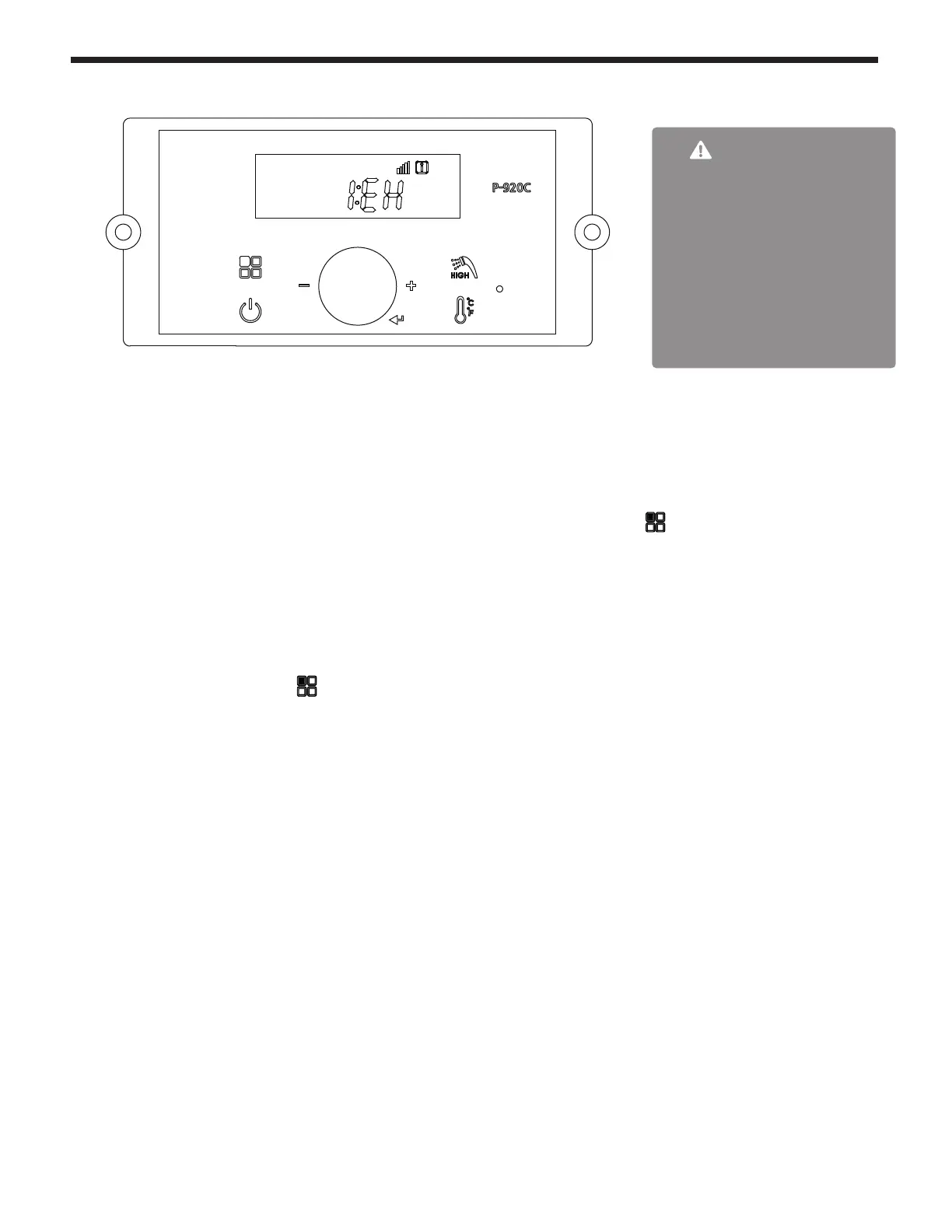
B C
E
A D
WARNING
For low temperature heating
applications, adjust P16 and
possibly P17 to desired value(s).
Proper high temperature
protection might be required when
the combination boiler transitions
from DHW production to low
temperature heating. Contact
Technical Services for assistance
in changing settings.
These changes are to be made only by a qualied technician.
To c hange any of the Installer Parameters
Start by turning OFF the Power to the Display Control.
Then, with the power OFF, Press and HOLD (more than 5 seconds) the Button B to get into the
Installer Mode.
Rotate Dial E until you nd the Installer Parameter (full list on facing page) that you wish to change.
Tap Dial E to enter that Parameter.
Adjust to the setting that you require and then press (tap) Dial E to save and to Exit.
Finish by pressing button B



 To Next Page