Echo Liquid Handler Software 5-29
5.3.1 Device control
You have access to precise Echo device control. The ability to command
internal mechanism movement is useful during maintenance,
troubleshooting, and diagnostic procedures. Access to device control is
found in several areas of the Echo software:
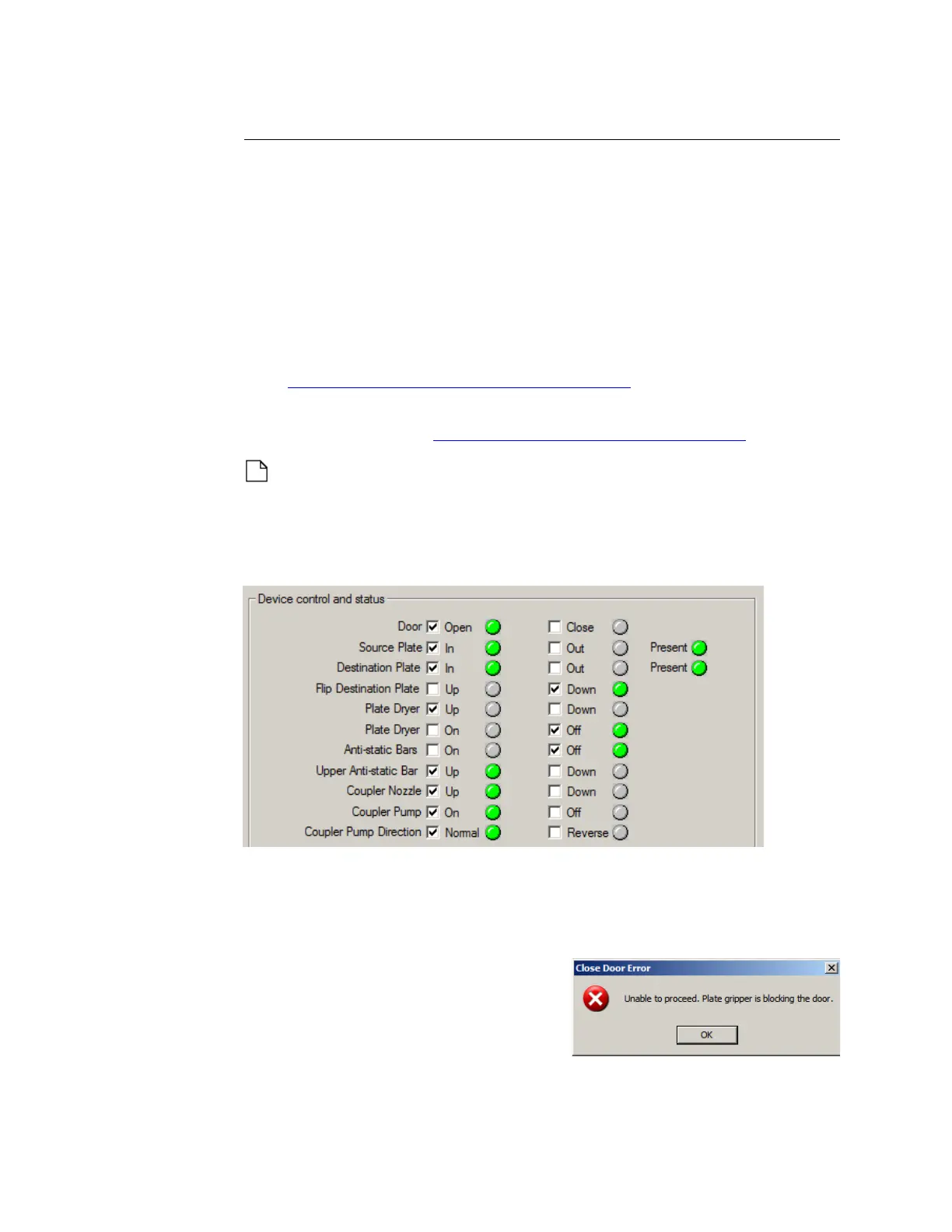
The Device Control and Status section of the DIAGNOSTICS window
uses eleven sets of checkboxes and status indicators. They are
discussed below.
The Miscellaneous section of the DIAGNOSTICS window uses the
diagnostic procedures drop-down list and LAUNCH button.
See “Diagnostic procedures” on page 5-38.
The MOTION section of the CALIBRATION window uses the HOME and
R
EGISTER buttons. See “Motion calibration” on page 5-45.
Note: The Echo liquid handler will not allow device movement that
would cause damage to itself. For example, if the process door is
closed when the source plate gripper stage is commanded to extend
outside, the Echo liquid handler opens the process door first.
Figure 5.32 Device control and status section
Door open/close
The Echo door can be manually opened and closed by selecting the
appropriate checkbox.
If either the source or destination plate
gripper stage is extended outside of the
Echo liquid handler when the process
door is commanded to close, a “Close
Door Error” error message is displayed.
The associated indicator lights report the current position of the door.



 To Next Page