5-20 Echo Liquid Handler User Manual
5.2 Labware window
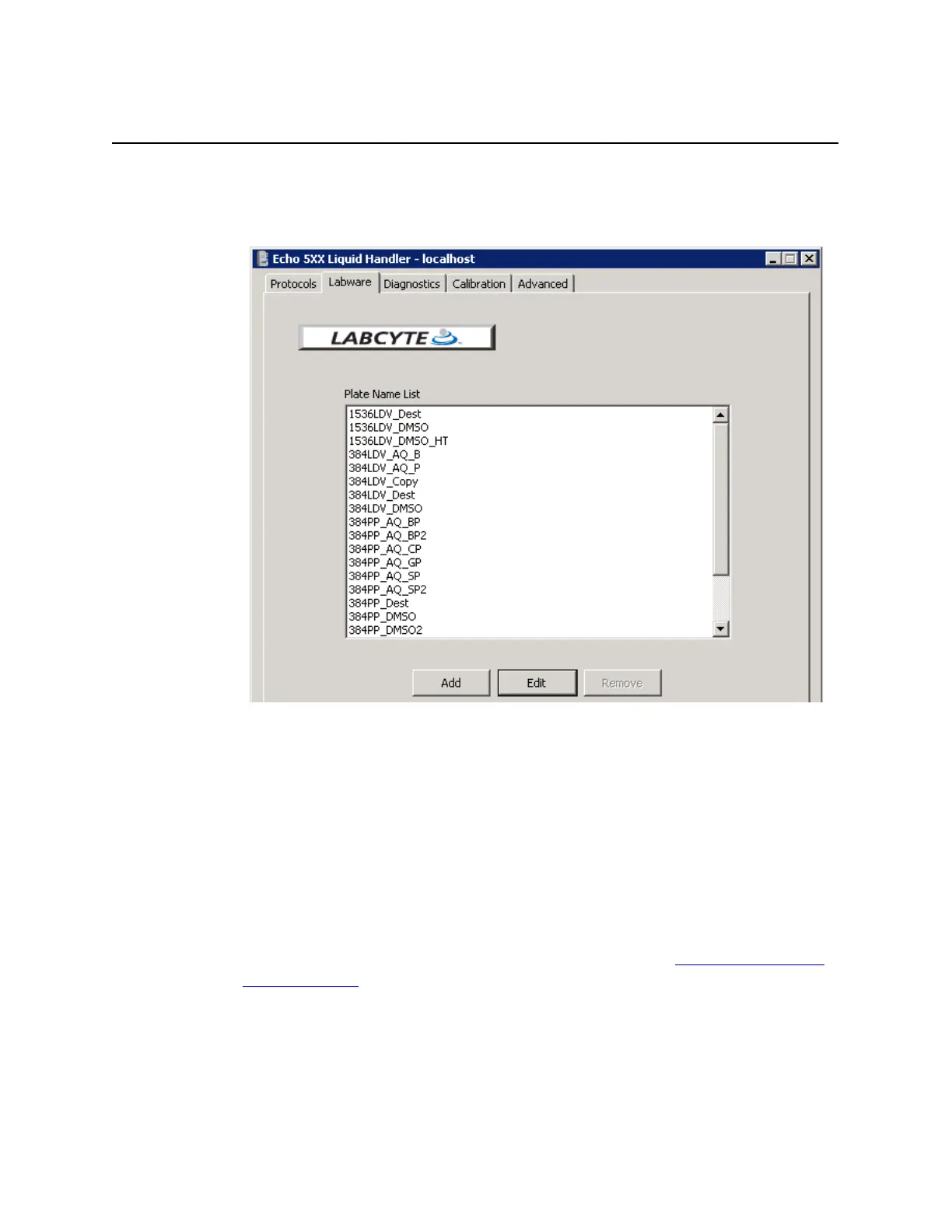
The LABWARE window is used to manage source and destination microplate
definitions.
Figure 5.24 Labware window
Plate Name List: The P
LATE NAME LIST contains all of the source and
destination plates that have been defined for your system (may vary from
the list in the previous figure). See the next section for details on the plate
naming convention.
Add. To create a new destination plate specification, click the ADD button.
Source plate specifications cannot be added.
Edit. To edit a plate specification, either select the plate name and click
the EDIT button, or double-click the plate name to open the PLATE
S
PECIFICATION window. Editing source plate specification editing is limited
to selecting a barcode location (including “none”). Destination plate
specification editing is not restricted. See the section, “
Manage labware
specifications”, for information on editing the barcode.
Remove. To remove an existing destination plate specification, select the
plate specification name and click the R
EMOVE button. The selected
destination plate specification will be deleted. Source plate specifications
cannot be removed.



 To Next Page