5-24 Echo Liquid Handler User Manual
Manage labware specifications
Adding a new destination plate, or editing an existing destination plate, are
virtually the same process. On the LABWARE tab click either ADD or EDIT.
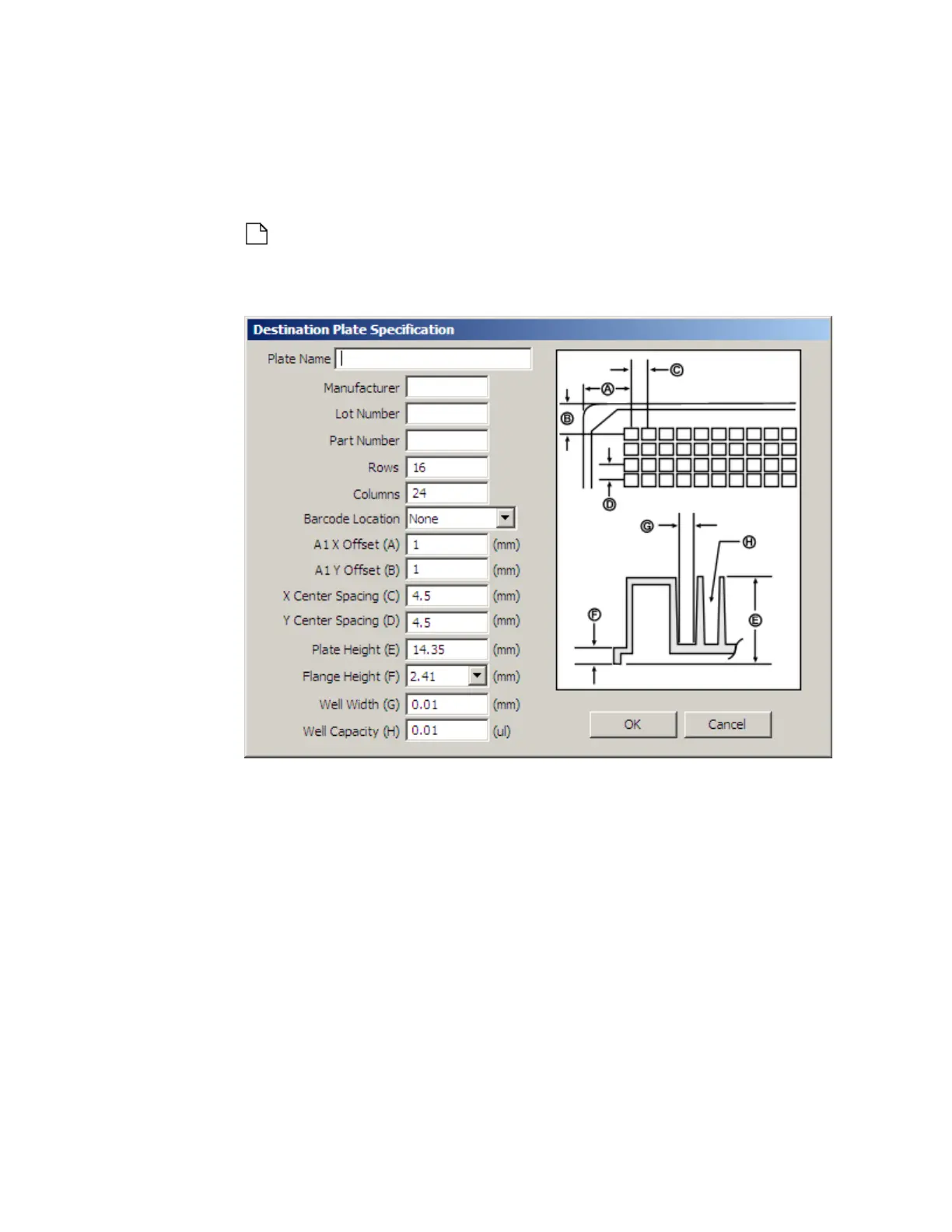
The DESTINATION PLATE SPECIFICATION dialog box will open.
Note: The edit window for the source plate specification looks the
same, but only the barcode location can be edited.
Figure 5.26 Plate Specification for Destination Plate
Plate Name: Enter a plate name to identify the new specification
(required).
Manufacturer: Enter the manufacturer’s name.
Lot Number: Enter the plate lot number identification.
Part Number: Enter the manufacturer’s plate part number.
Rows: Enter the number of rows.
The valid range is one or more.
Columns: Enter the number of columns.
The valid range is one or more.



 To Next Page