3-14 Echo Liquid Handler User Manual
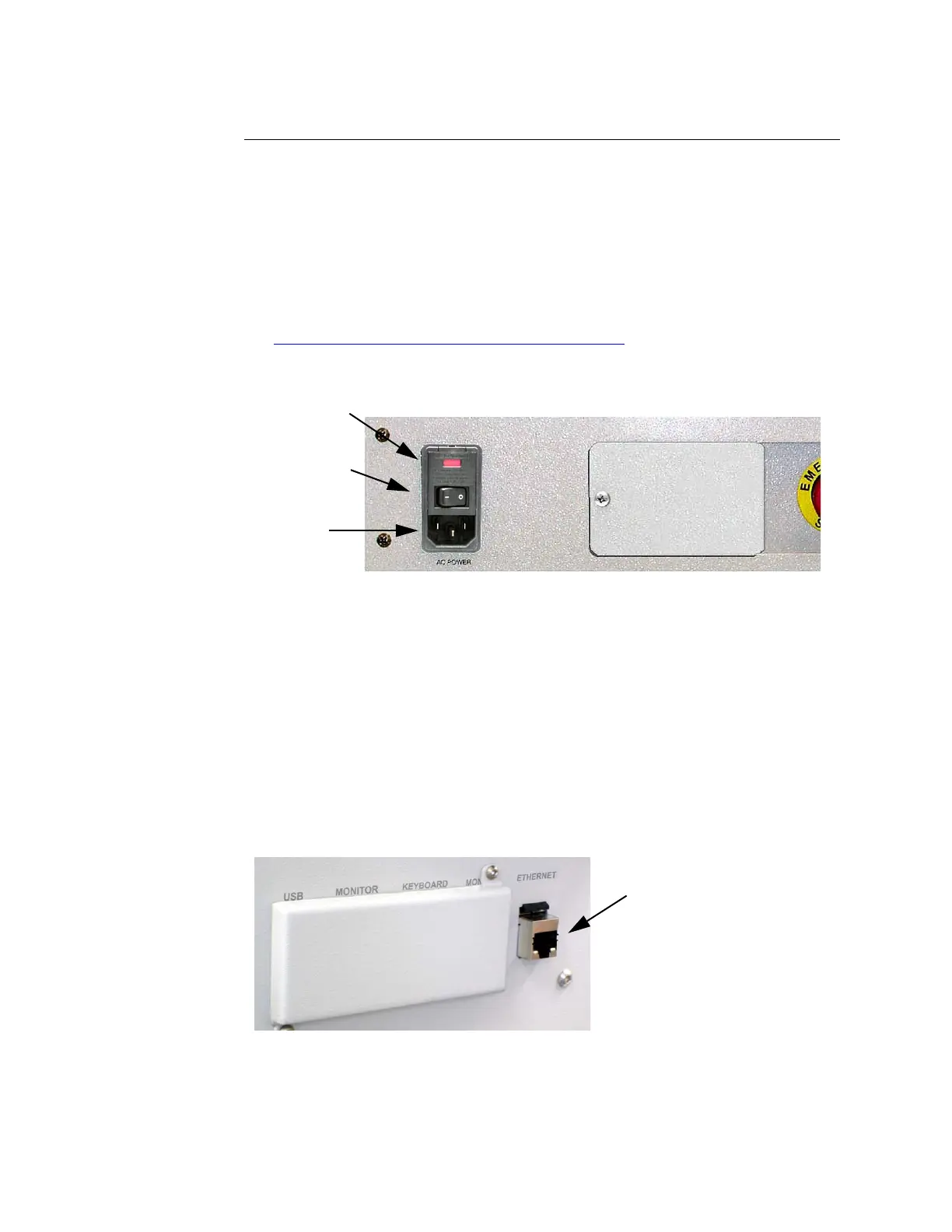
3.2.9 AC power and fuse compartment
The AC power and fuse compartment (as called the power input module) is
located on the rear panel, to the left of the Emergency Off button. It
contains the main Echo liquid handler power on/off switch, AC power
outlet, and fuse compartment.
The Echo liquid handler instruments are built in two AC power
configurations: 230 VAC and 100–115 VAC.
The fuse compartment holds two fuses. For information on replacing fuses,
see “Replace the AC power fuse” on page 6-18.
Figure 3.15 AC power and fuse compartment
Data connection
The Echo liquid handler includes several communication connections to the
right of the Emergency off button. The RJ-45 Ethernet port is the only data
connection required for normal Echo liquid handler operation. The Ethernet
cable connects the Echo liquid handler directly to the client PC or to a
network. This connection allows you to monitor and control the Echo liquid
handler. If the Echo liquid handler is connected directly to a client PC, the
Ethernet cable must be a “cross-over” cable.
Other data connection ports are used by Labcyte field engineers.
Figure 3.16 External connections: power and data.
AC Power
Fuse Compartment
Power On/Off
O = Off
I = On



 To Next Page