C-4 Echo Liquid Handler User Manual
C.3.2 Operation
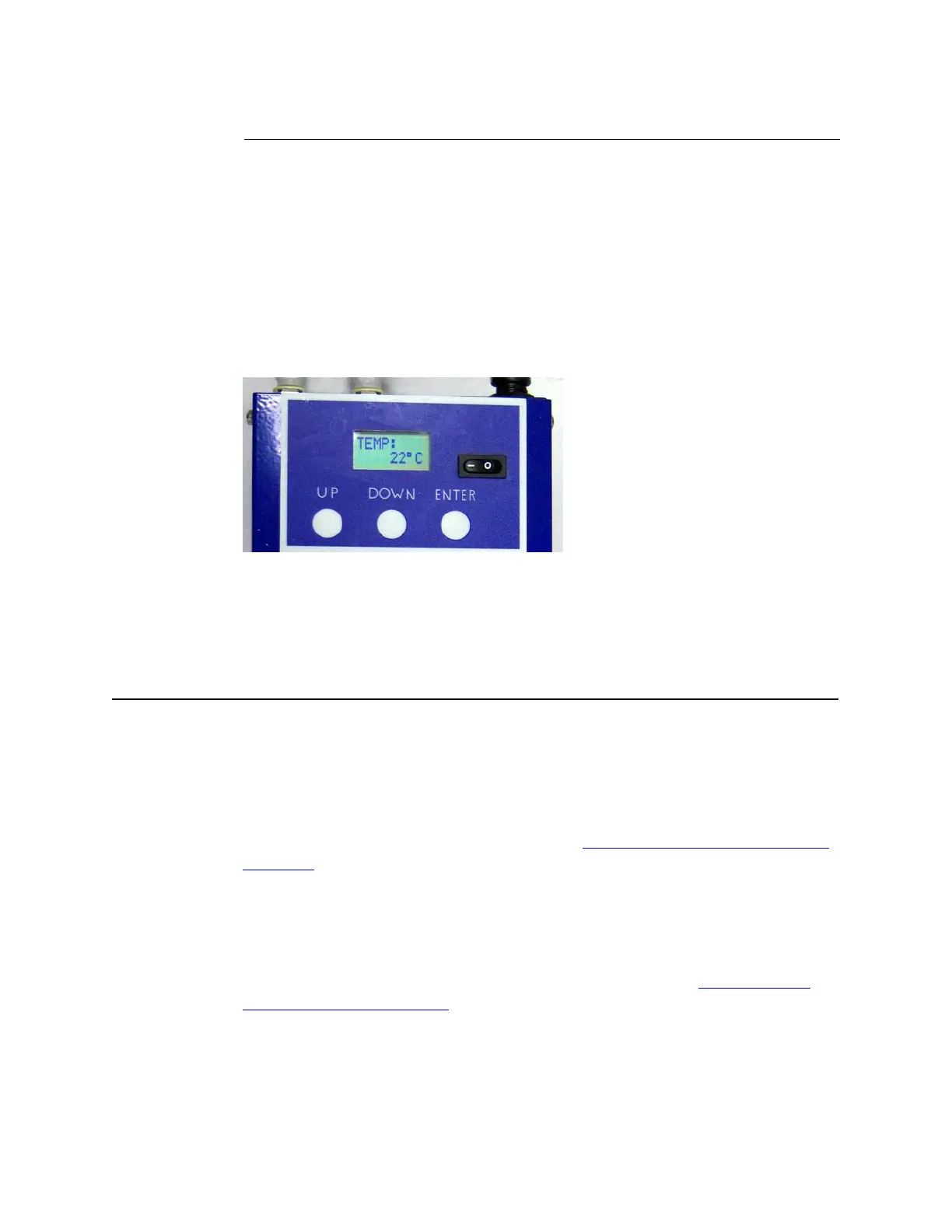
The Labcyte chiller temperature is controlled through three membrane keys
below the 8-character LCD screen: UP, DOWN, ENTER.
1. Press the on/off switch located next to the temperature display to turn
on the chiller (on = —; off = O).
2. Set the temperature to 22°C:
a. Press the UP or Down buttons to change the temperature values.
b. Press the ENTER button to set the temperature.
Figure C.3 Chiller temperature setting
The chiller will maintain the set temperature until it is changed or the chiller
is turned off.
C.4 Troubleshooting
The Labcyte chiller has two system alarms that are shown on the chiller
display: RTD OPEN or RTD SHORT, FAN FAIL.
RTD OPEN or RTD SHORT: The connector has come loose or the
temperature sensor has failed. Turn off the chiller, reconnect the cable, and
turn it back on. If the alarm persists, turn off and unplug the chiller, and
then contact Labcyte Service and Support. See “
Contact information” on
page 7-1.
FAN FAIL: The fan is too slow to cool the chiller components or has
stopped. The fan is either blocked or has failed. Check for obstructions to
the side air inlet or outlet gratings of fan. Ensure there is at least a 3 inch
clearance around the fan. If there are no obstructions to the air flow, the
fan may be failing. Contact Labcyte Service and Support. See “
Contact
information” on page 7-1.



 To Next Page