Echo Liquid Handler Software 5-25
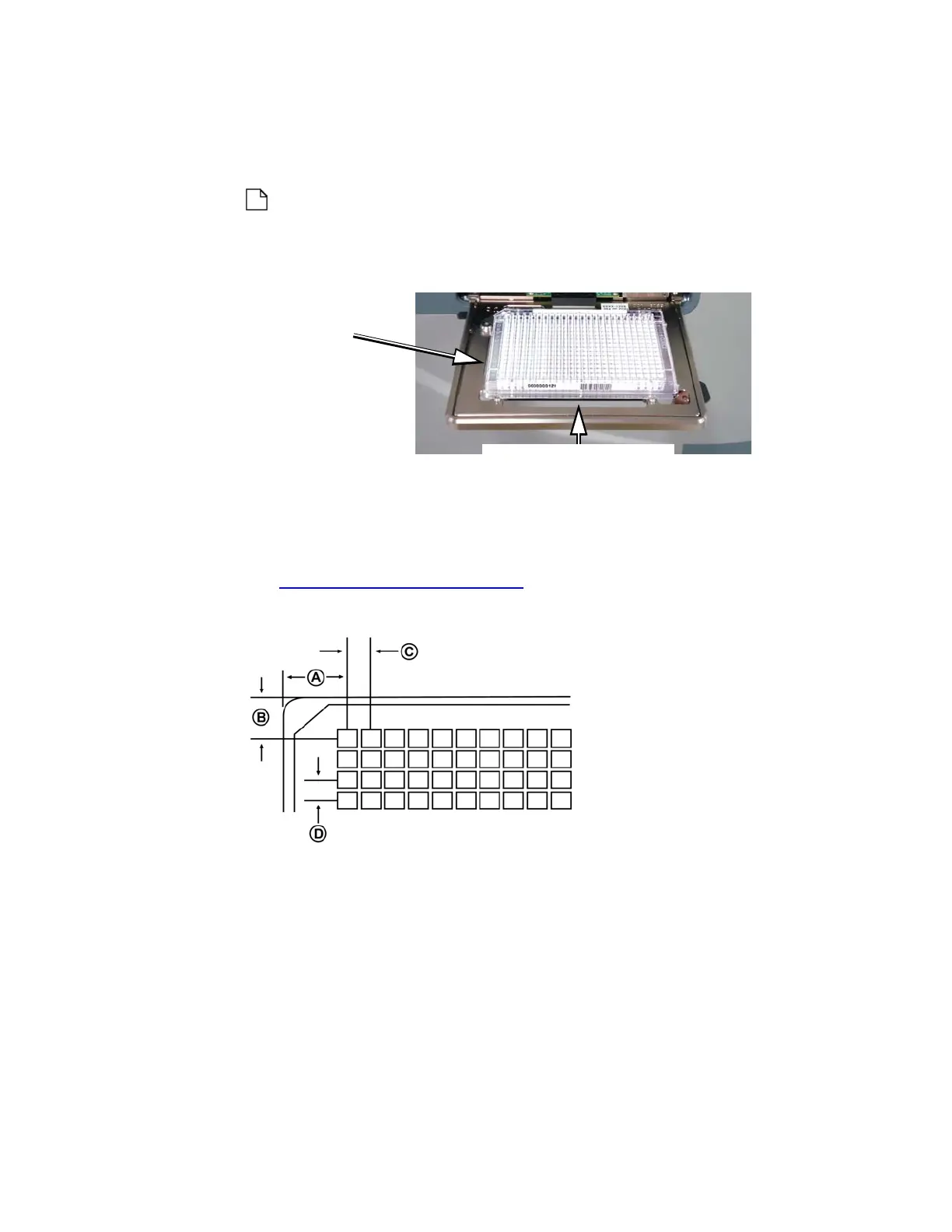
Barcode Location : From the drop down list, select the barcode location.
The choices are N
ONE, LEFT-SIDE and LONG-SIDE (front). The right side is not
supported.
Note: Some users are more familiar with the microplate sides
identified by the compass points: L
EFT-SIDE = west and LONG-SIDE =
south.
Figure 5.27 Selecting barcode locations
Plate dimensions
Two illustrations identify the destination plate dimensions that must be
entered. These dimensions may already be specified in the SBS standards
(see “SBS standards” on page 5-27).
Figure 5.28 Plate dimensions A, B, C, and D
A and B: Well A1 X/Y offsets. Dimensions A and B locate the center of
well A1 in relation to the plate’s left and top outside edges. A specifies the
A1 well center to the left outside edge in millimeters. B specifies the A1
well center to the top outside edge in millimeters.
Examples: For a 1536LDV DMSO source plate type, A is 11.015 mm and
B is 7.94 mm.
The valid range for A is 0.00 mm to 128.00 mm.
The valid range for B is 0.00 mm to 86.00 mm.Refer to ANSI/SBS 4-2004
for more information.
Left or West
position
Long, front or south
Left or west
position



 To Next Page