5-28 Echo Liquid Handler User Manual
5.3 Diagnostics window
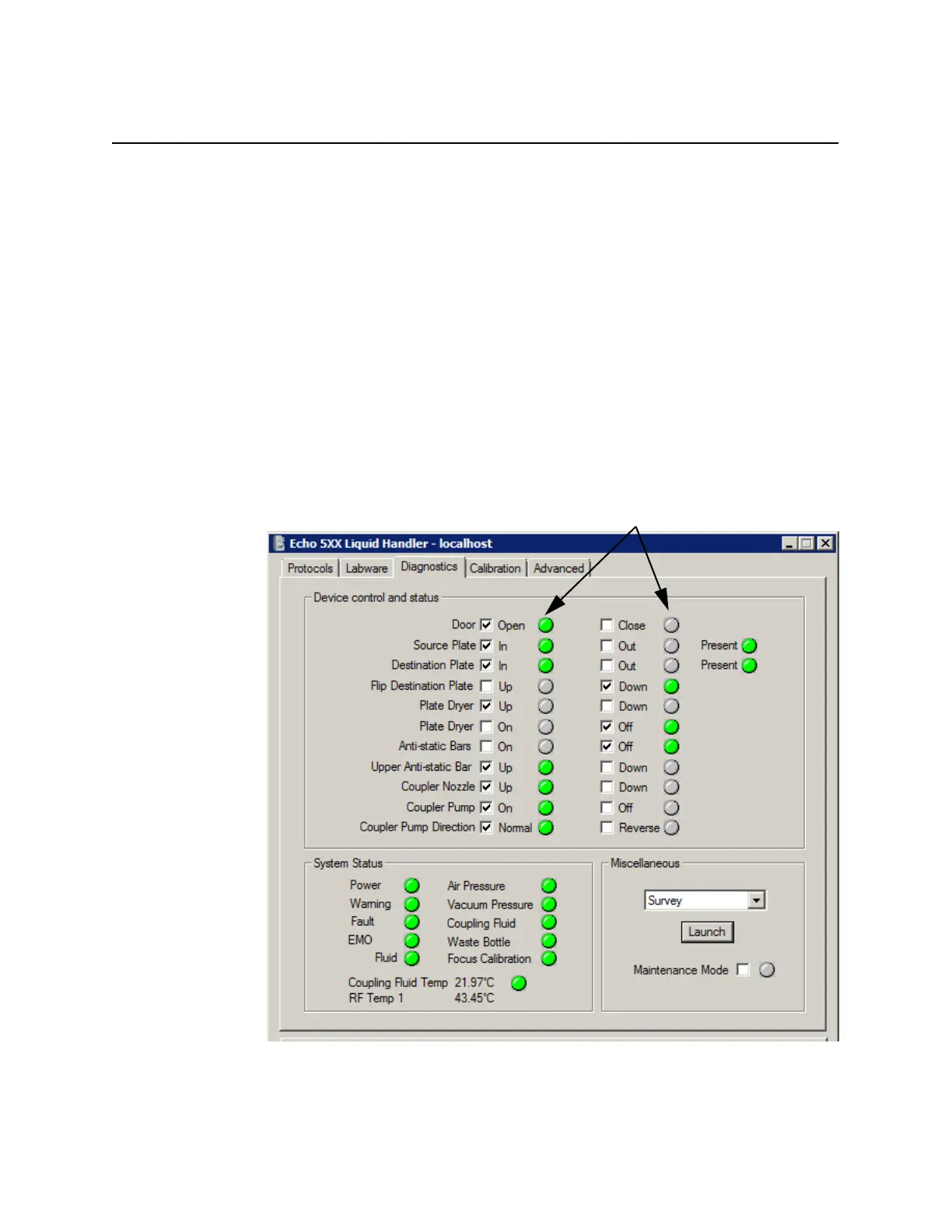
The DIAGNOSTICS window provides the following control and monitoring
options:
In the DEVICE CONTROL AND STATUS section, the user can control many
of the Echo internal devices and mechanisms. The current position of
those devices and mechanisms is reported by green lamp indicators.
Clicking the check box next to the device initiates the action (for
example, clicking Source Plate In directs the Echo liquid handler to
retract the source plate gripper stage).
In the SYSTEM STATUS section, the user can monitor the current
overall status of the Echo liquid handler through ten additional status
indicators and two internal Echo temperature readouts.
In the MISCELLANEOUS section, the user can either activate the Echo
maintenance mode or execute diagnostic procedures.
Figure 5.31 Diagnostics tab



 To Next Page