4-8 Echo Liquid Handler User Manual
4.2 Main screen
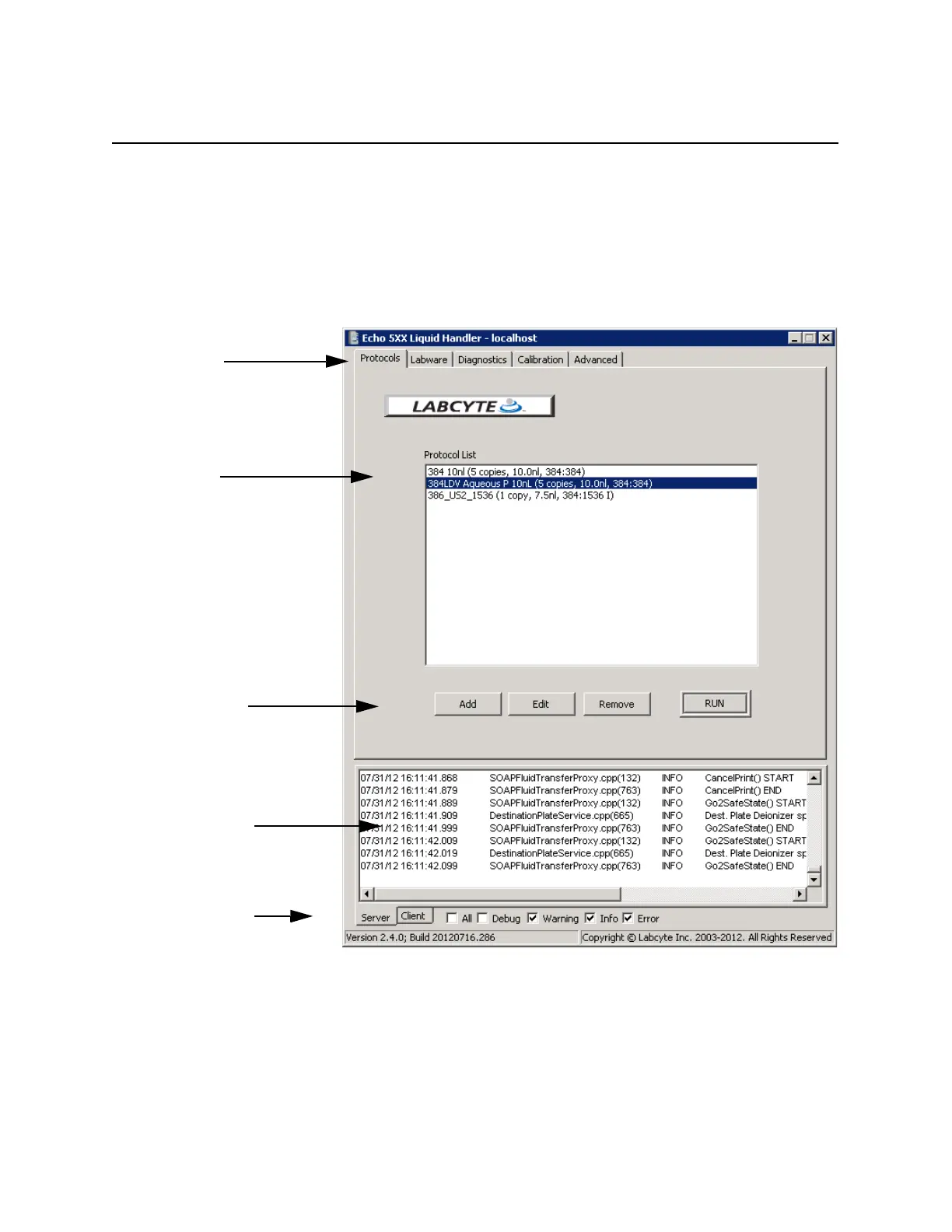
The Echo software opens in the Main screen. The Main screen shows tabs
for each major function and user interactive area for selecting from a list of
protocols or clicking options or function keys. The first tab shows the
PROTOCOLS window.
Figure 4.6 Below the user interactive area is the status window. This
window displays every action that the Echo hardware or software performs.
The follow page describes the elements of the Main screen. First window in
the Echo software
Tabs for each
function
Protocol list
In user interactive area
Server and client
status window
Display options for
server and client
status window
Function keys



 To Next Page