5-38 Echo Liquid Handler User Manual
5.3.3 Diagnostic procedures
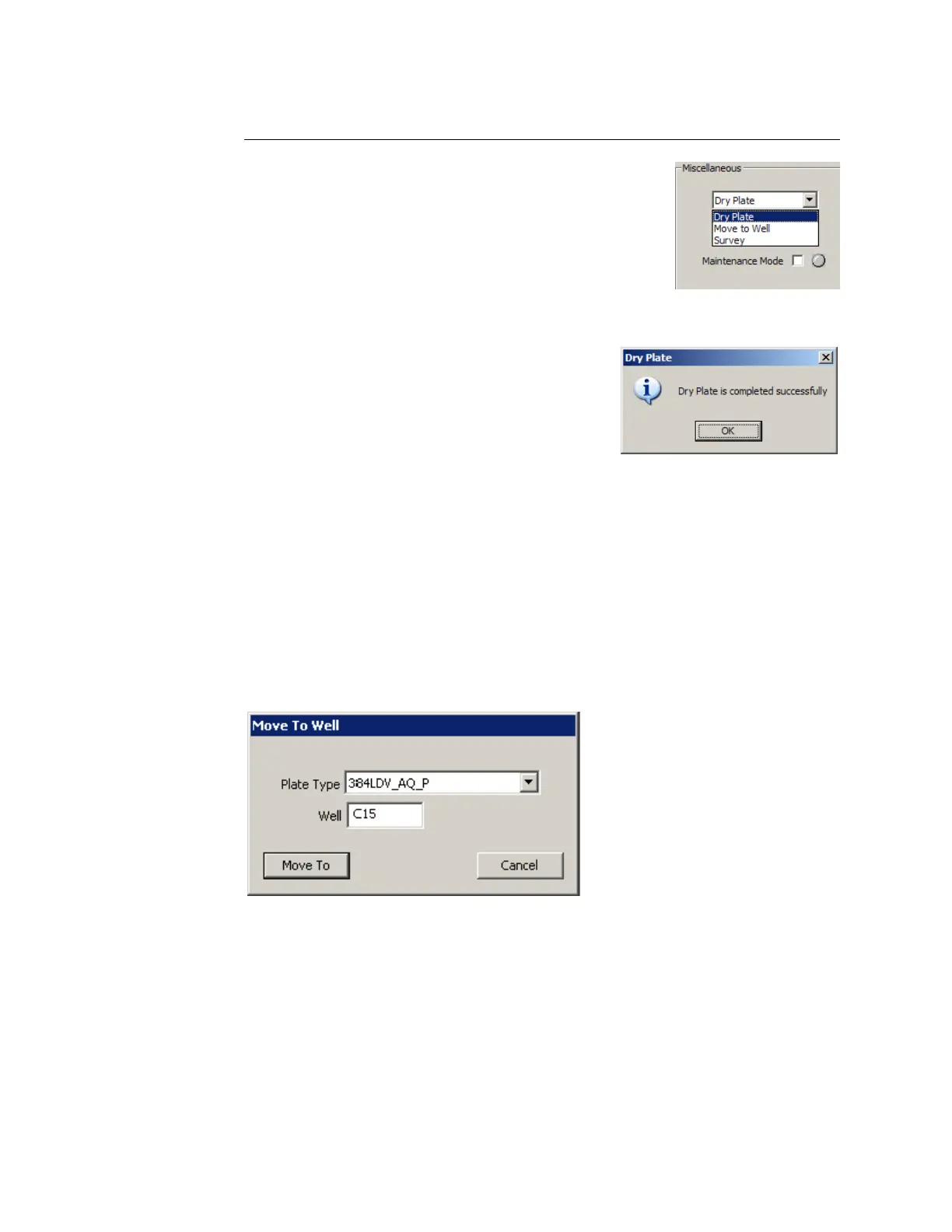
In the Miscellaneous section, there is a drop-down
list of diagnostic procedures and a LAUNCH button.
Dry plate
The DRY PLATE procedure vacuums the water film off
the bottom of a source plate.
If a source plate is not present, the DRY PLATE procedure is aborted.
During the DRY PLATE procedure, the
acoustic coupler nozzle is moved down and
out of the way, and the coupling fluid pump
is turned off.
The plate dryer nozzle makes a pass to
ensure that all of the moisture is removed,
then displays a message when it is done.
Move to well
The MOVE TO WELL procedure positions the acoustic transducer directly
beneath a specified well.
1. Select MOVE TO WELL and click the LAUNCH button. The MOVE TO WELL
dialog box is displayed.
2. Enter the row and column address of the well. Example: C15.
Figure 5.34 Move to well function
3. Click the MOVE TO button to move the acoustic transducer directly
beneath the specified well.
If you want to abort this function, click the C
ANCEL button.



 To Next Page