5-40 Echo Liquid Handler User Manual
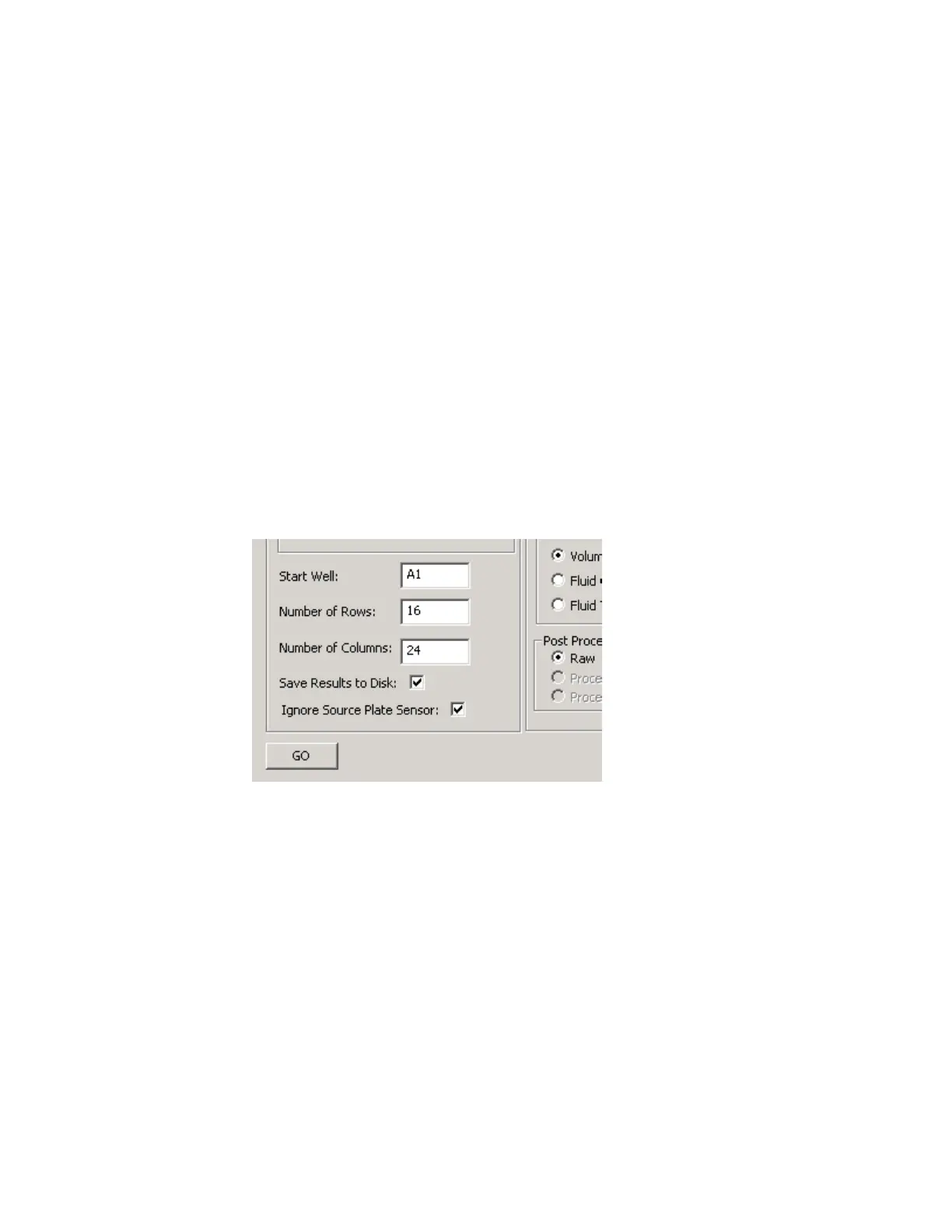
5. Enter the wells to be surveyed (default value is the entire plate). Use one
of the following methods:
Enter the values in the Parameters section.
a. Enter a valid starting well. Example: A1.
b. Enter the number of rows to be surveyed. Example: 16
c. Enter the number of columns to be surveyed. Example: 24
Use the cursor to select the wells in the plate map.
6. Set up the following options in the PARAMETERS section as appropriate:
Save Results to Disk. Select this checkbox to automatically store the
results of the acoustic survey in the client PC data directory (C:\Program
Files\Labcyte\Medman\Data). Also see File | Save on page 5-42.
Ignore Source Plate Sensor. Select this checkbox to resolve problems
with fitting a source plate onto the source plate gripper stage. This
option allows the Echo liquid handler to use a source plate without
detecting its presence with the source plate sensor.
Figure 5.36 Diagnostic survey plate map
7. Click the GO button. The acoustic survey will be performed. The acoustic
transducer moves in an efficient, non-stop path beneath each specified
well. Acoustic pulses are transmitted up into a well, and the resulting
return data is saved for analysis.



 To Next Page