17
MAINTENANCE
ADJUSTING THE PROXIMITY
SWITCHES
• Move the packer blade about 1 inch
back from the fully extended
position.
• Adjust the proximity switch #1 so it
is “active” (the amber light on the
proximity switch should be ON)
when the packer blade reaches this
position.
• Apply the same procedure for the
retracted position (proximity switch
#2).
• Test the packer for a full cycle.
Ensure that there is no knocking
noise at the end of the packer
cylinder strokes.
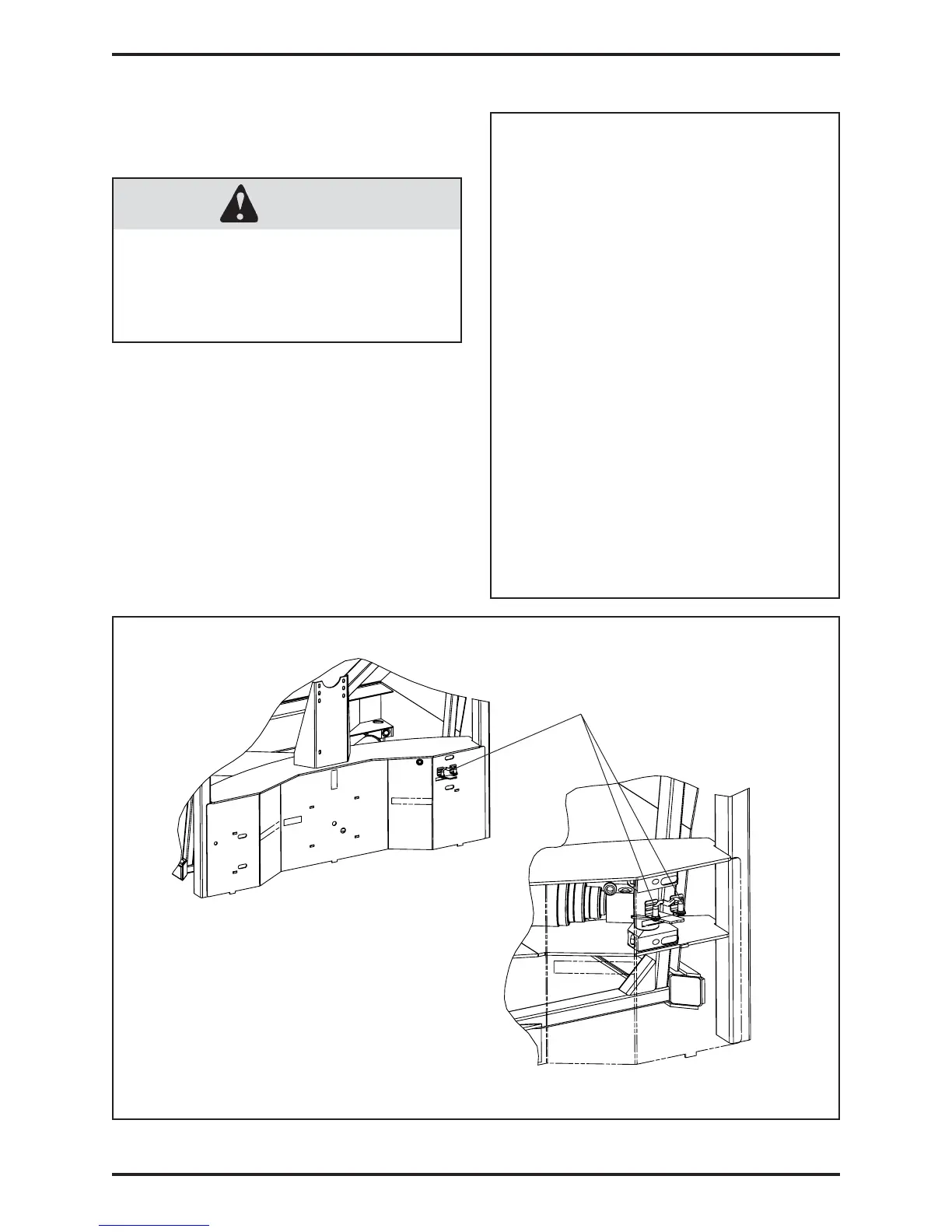
PROXIMITY SWITCHES LOCATION
USE THE APPROPRIATE
LOCKOUT/TAGOUT PROCEDURE
AT ALL TIMES (SECTION 1.1.4).
DANGER
FIGURE #1.5
Proximity switches
1.2.2 PROXIMITY LIMIT SWITCHES
ADJUSTMENT (continued)


 To Next Page