25
MAINTENANCE
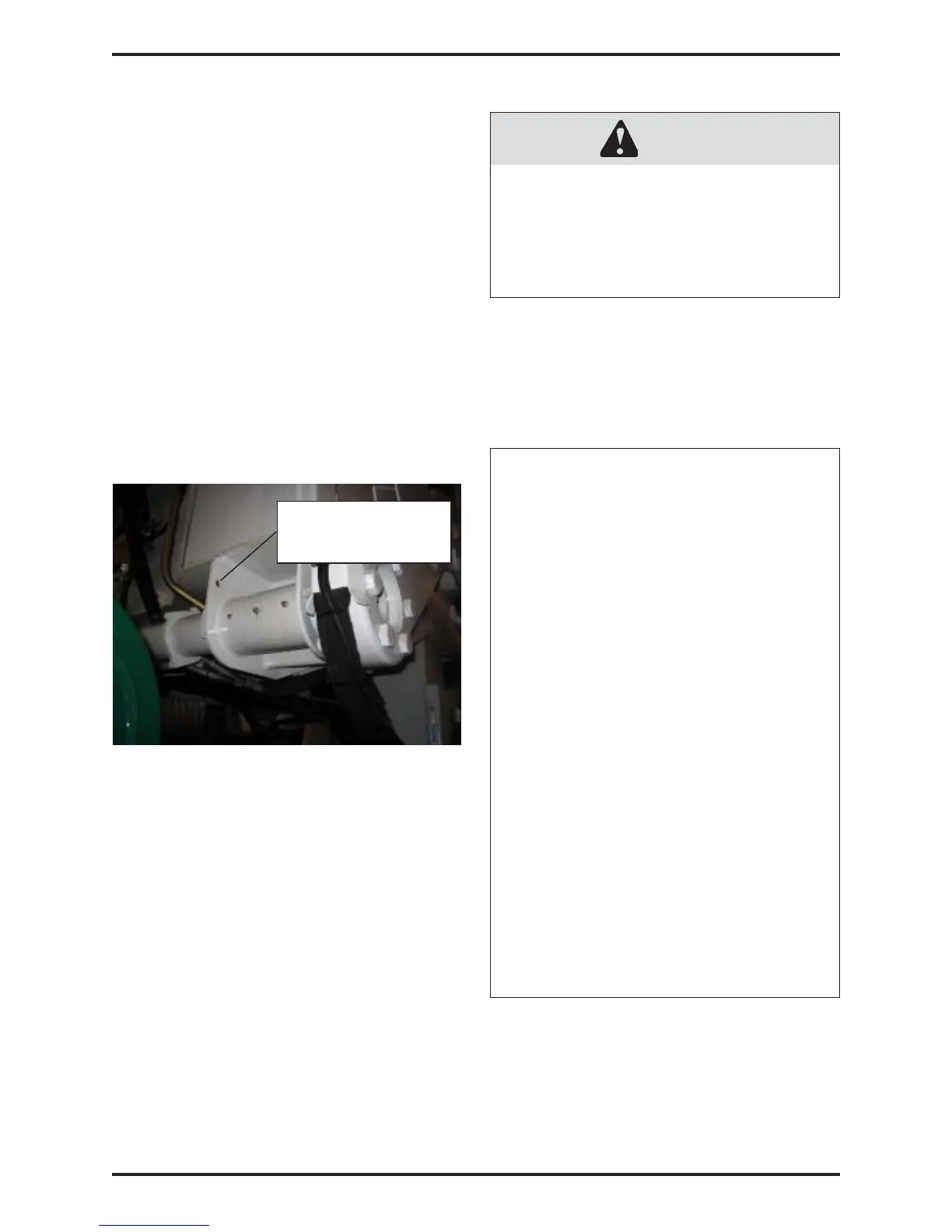
1.3.8 ARMS PARTLY RAISED PROXIMITY
SWITCH
Some units are equipped with a proximity
switch that allows the operator to raised the
arms when the packer is retracting. If the
packer is not completely retracted when the
arms pass in front of the proximity switch, the
arms stop to avoid debris falling on the
packer or behind it. The operator will have to
wait until the packer is completely retracted
before raising the arms further.
If the truck is equipped with this proximity
switch, it is located on the left-hand side of
the arm torque tube.
CAUTION
MAKE SURE THAT ALL THE
PROXIMITY SWITCHES ARE
WELL ADJUSTED AND THAT
THEY ARE WORKING
PROPERLY.
1.3.9 PROXIMITY SWITCH ADJUSTMENT
Here is a general procedure to adjust the
proximity switches:
GENERAL PROXIMITY SWITCH
ADJUSTMENT PROCEDURE
•
Park the truck on a safe and level
ground.
• Apply the parking brake and make
sure that the truck is tagged out for
maintenance (see “ Lockout/Tagout”
section of the Operator Manual).
• Start the engine and engage the
hydraulic pump.
• Shut off the engine and turn off the
hydraulic pump.
• Unscrew the nuts located on each
side of the proximity switch.
• Move the proximity switch laterally
until there’s a gap of 1/8 inch
between the proximity switch and
its target.
• Screw the nuts of the proximity
switch.
• Start the engine and engage the
hydraulic pump.
• Perform tests to make sure that the
proximity switch works properly.
ARMS PARTLY RAISED
PROXIMITY SWITCH
LOCATION (IF EQUIPPED)


 To Next Page