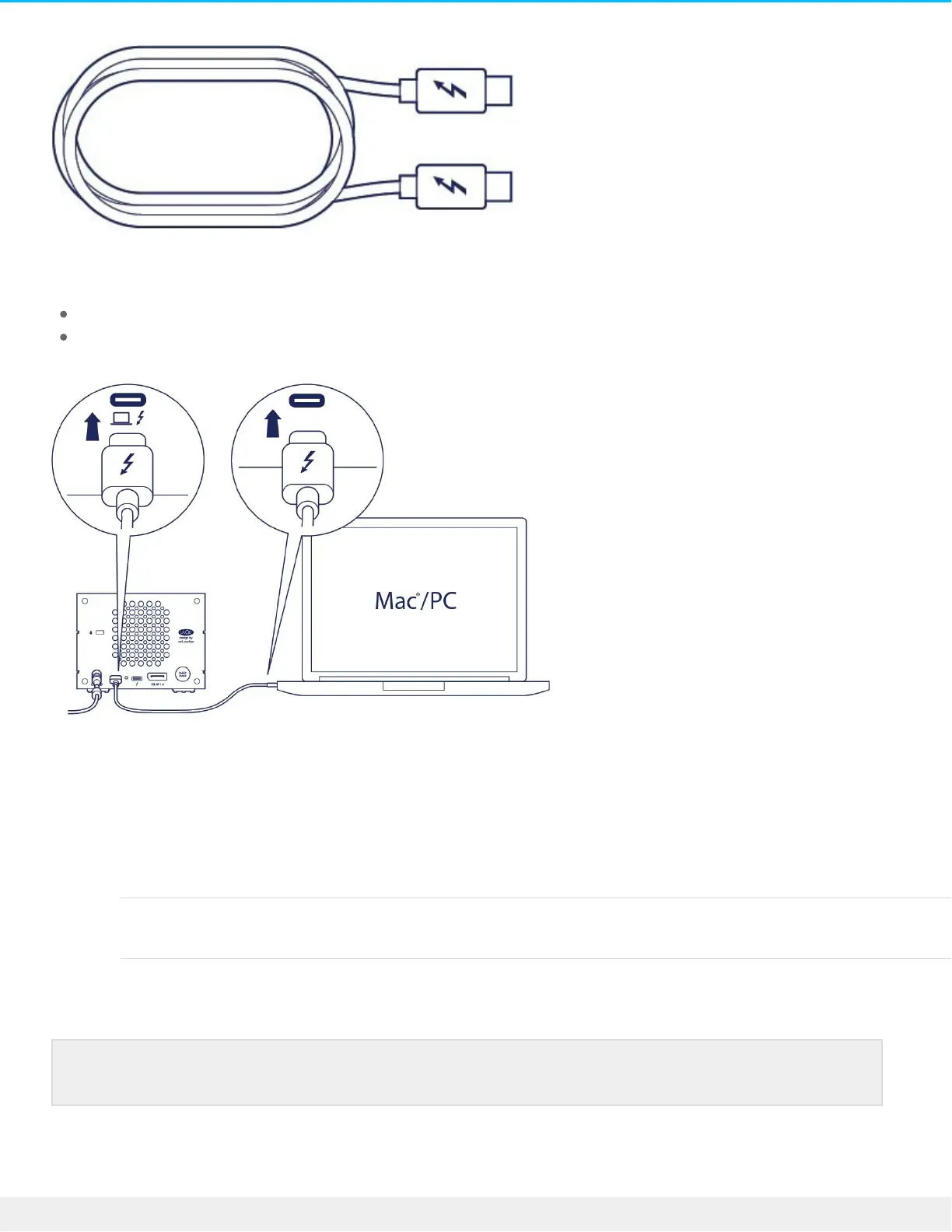
Use the Thunderbolt 3 cable to connect 2big Dock to your computer. Make sure that the cable is:
Connected to the host port to the left on the back panel, and not the peripheral/daisy chain port.
Connected to a USB-C port on your computer that supports Thunderbolt and/or USB.
Set up LaCie 2big Dock
The setup process lets you:
Register LaCie 2big Dock Get the most from your drive with easy access to information
and support.
Install Toolkit Manage mirror folders and backup plans, automate imports
from memory cards, control LED settings, and more.
Start here
Your computer must be connected to the internet to register your device and install Toolkit.



 To Next Page