Expansion Port
DisplayPort 1.4
DisplayPort is a digital display interface used to connect a video source to a display device (for example, a
computer monitor) as well as other forms of digital data. DP 1.4 supports up to two 4K displays or one 8K
display.
Connecng the DisplayPort
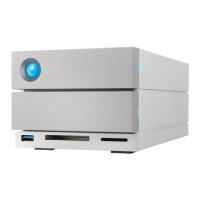
1. Insert the DP 1.4 end of the cable or adapter into the port on the back of the 2big Dock until it clicks into
place. The cable/adapter is now locked into the DP 1.4 port.
2. Connect the other end of the cable to your configured audio/video display.
Disconnecng the DisplayPort
1. Grasp the DP 1.4 end of the cable or adapter that’s connected to 2big Dock.
2. Hold down the release tab with your thumb, and then pull back to remove the cable from the port.
LaCie 2big Dock provides the full performance available to DisplayPort 1.4. However, not all
computers with Thunderbolt ports support DisplayPort 1.4, which limits the outputs to displays.
In addition, some displays do not accept the full bandwidth available to DisplayPort 1.4. Check
the documentation for your computers and displays for DisplayPort 1.4 compatibility.
DisplayPort may be compatible with some HDMI, DVI, and VGA adapters (not included). Note
that these have not been tested.



 To Next Page