Receiving power
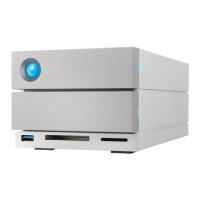
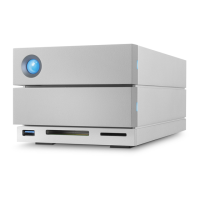
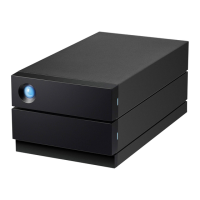
LaCie 2big Dock powers on automatically when it is:
Connected directly to a computer via the Thunderbolt 3 or USB-C port. The computer must be powered
on.
Connected to a live power source via the included power supply.
Short push
A short push is a manual depression on the Sleep/Wake button that lasts no longer than one second. When
the product is operating, a short push spins down the hard drives within the enclosure and initiates power-
saving mode. The Thunderbolt ports remain active and are available for daisy chaining. For example, a display
that is daisy chained with the device is still available to the computer following a short push.
Long push
A long push is a manual depression on the Sleep/Wake button that lasts more than four seconds. When the
product is operating, a long push will cut the power to LaCie 2big Dock, forcing it to shut down immediately.
A long push is not recommended for general use as it may result in data loss.
Removing the Thunderbolt cable during operaon
Removing the cable during operation can result in lost data. If the cable is removed while the system is
synchronizing or initializing the RAID, the synchronization/initialization continues but connection to the
computer and your data is lost.
Operaon and heat management
To better regulate the operating temperature, LaCie 2big Dock uses a Noctua® cooling fan to pull heat away
from the internal components. In addition to being exceptionally quiet, the Noctua cooling fan is temperature
controlled, which guarantees optimal heat management by adjusting the rotational speed for the
environment. Additionally, the enclosure's metal casing dissipates heat from the hard drives, keeping them
Important info regarding the ports—LaCie 2big Dock can be connected to a computer using the
Thunderbolt 3 host port. Do not connect both Thunderbolt ports to a single computer at the
same time, or connect each Thunderbolt port to separate computers.
Important info—Always eject LaCie 2big Dock volumes from your computer before applying a
short push.



 To Next Page