LaCie 5big Network Administering Your LaCie 5big Network
User Manual page 30
4.2.4. About Access Privileges
Access privileges can be assigned to users on an individual user
basis or on a group basis. User-level access is more restrictive.
Here is an example of the way access privileges work when a user
has different kinds of access to the same share as member of a
group and as an individual:
✦ User U belongs to groups G1 and G2, and has access to
share S.
✦ If G1 has read-only access to S and G2 has read-write access
to S, then U will have read-write access to S.
✦ If U has read-only access to S and G2 has read-write access
to S, then U will have read-only access.
4.2.5. Deleting User Accounts
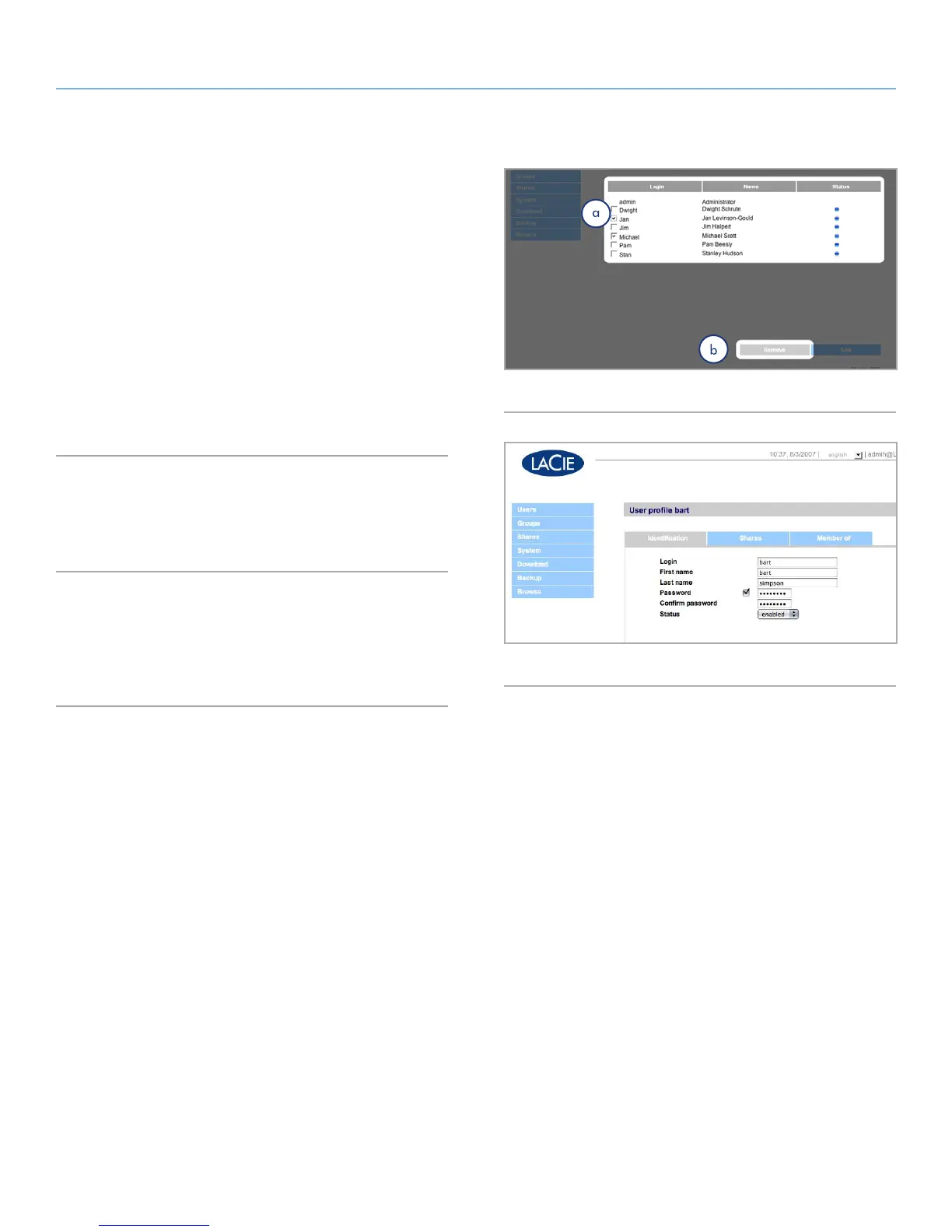
On the User Accounts page (Fig. 38), check the box beside each
user you want to delete (a) and click Remove (b).
4.2.6. Editing User Accounts
The administrator can edit the details of a user account at any time
by clicking on a user on the User Accounts page to view the user’s
profile (Fig. 39).
Fig. 38
Fig. 39



 To Next Page