LaCie 5big Network Troubleshooting
User Manual page 59
8. Troubleshooting
In the event that your LaCie 5big Network is not working correctly,
please take a look at the Troubleshooting section on the following
pages and at the FAQs published on our web site – www.lacie.com.
One of these FAQs may provide an answer to your specific ques-
tion. You can also visit the downloads page, where the most recent
software updates will be available –
www.lacie.com/support/downloads.
If you need further assistance, please contact your LaCie reseller or
LaCie Technical Support (see chapter 9. Contacting Customer Sup-
port for details).
System Log
The system log allows you to review the type, date, time, source and
event ID of activities on the LaCie 5big Network. For more informa-
tion, refer to chapter 4.5.8. System Log.
Manual Updates
LaCie strives to give you the most up-to-date, comprehensive user
manuals possible. It is our goal to provide you with a friendly, easy-
to-use format that will help you quickly install and utilize the many
functions of your new device.
If your manual does not reflect the configurations of the product
that you purchased, please check our website for the most current
version available.
www.lacie.com
Problem Question to Ask Solution
The system is not
recognized by the
computer.
Does your computer’s configuration
meet the minimum system require-
ments?
Check section 1.2. Minimum System Requirements for more information.
Is the system’s power supply connected
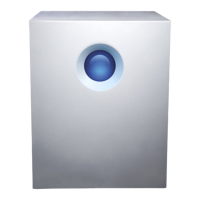
and is the blue light on the front of the
drive on?
Make sure that the power supply is properly connected (see section
2.1.Turning on the 5big Network for details); that the system has been
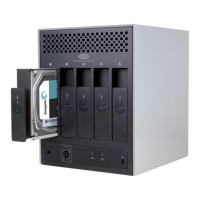
powered on by moving the power switch on the back of the device to
the ON position; and that the outlet the power supply is connected to is
powered on or has a sufficient supply of power.
Is the blue light on the front of the
device flickering?
If the blue light is flickering or will not turn on, the power supply may be
defective. Please contact your LaCie reseller or LaCie Customer Support.
Did you follow the correct installation
steps?
Review the installation steps (2. Setting Up Your LaCie 5big Network).
Are both ends of the Ethernet cable
firmly connected?
Disconnect the Ethernet cable, wait 10 seconds and then reconnect.
Ensure that the interface connectors are properly aligned. The Ethernet
cable can only be inserted one way. Make sure it is correctly oriented.
Check that the Ethernet connectors are straight and fully seated in the
Ethernet ports.
Make sure that you use the Ethernet cord provided in the 5big Network
box.


 To Next Page