LaCie 5big Network Administering Your LaCie 5big Network
User Manual page 36
4.5.2. Configuration
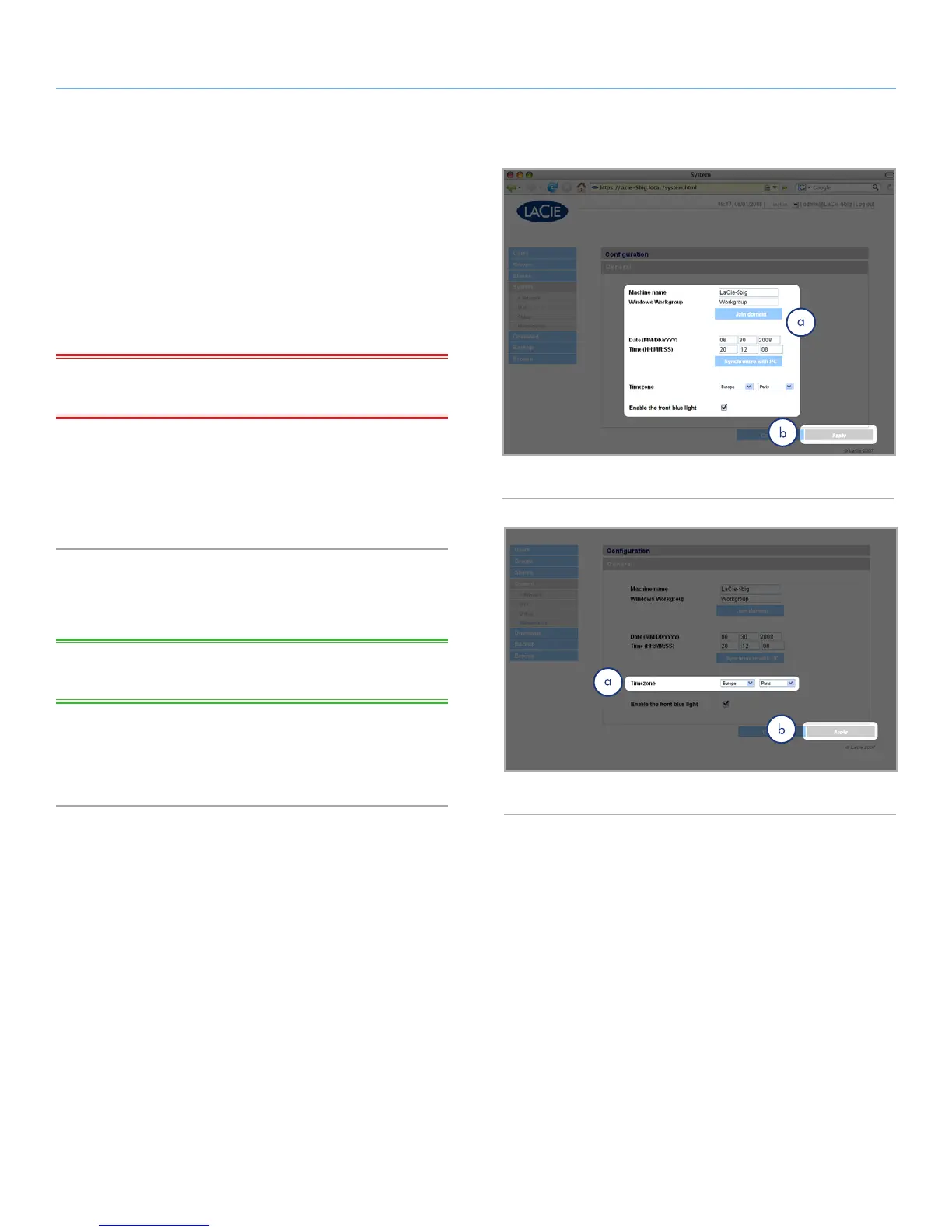
Click on the System link in the navigation bar to open the Configu-
ration page. This page displays basic information about the 5big
Network including the Machine name, the Windows workgroup,
time zone and date and time (a, Fig. 52).
To change the machine name, highlight the machine name (“La-
Cie-5big Network” by default), delete it and enter a new name.
Click Apply (b, Fig. 52)
IMPORTANT INFO: The machine name can only contain the fol-
lowing characters ‘a-z’, ‘A-Z’, ‘0-9’, ‘-’ and must begin with a letter.
To change the Windows workgroup, highlight the workgroup
name, delete it and enter a new name. Click Apply (b, Fig. 52).
Click the Enable the front blue light checkbox to toggle the light
on or off.
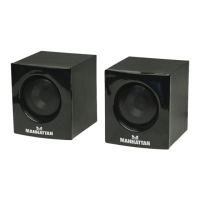
To change the time zone, click on the current time zone location
to activate the time zone drop-down menu (a, Fig. 53) and select a
location in your time zone. Click Apply (b, Fig. 53).
TECHNICAL NOTE: The 5big Network has a 30-minute time-out
cycle.
To change the date and time, select a time zone and click the
Synchronize with PC button. The date and time will automatically
synchronize with your computer. Click Apply (b, Fig. 53).
Fig. 53
Fig. 52


 To Next Page