LaCie 5big Network Administering Your LaCie 5big Network
User Manual page 45
4.5.9. Wake on LAN (WOL)
This function enables you to enable waking the 5big Network re-
motely on the local area network (LAN). For WOL to work, the
power switch must be in the AUTO position. This function is ac-
cessed using the LaCie Network Assistant software. Follow these
steps to activate WOL:
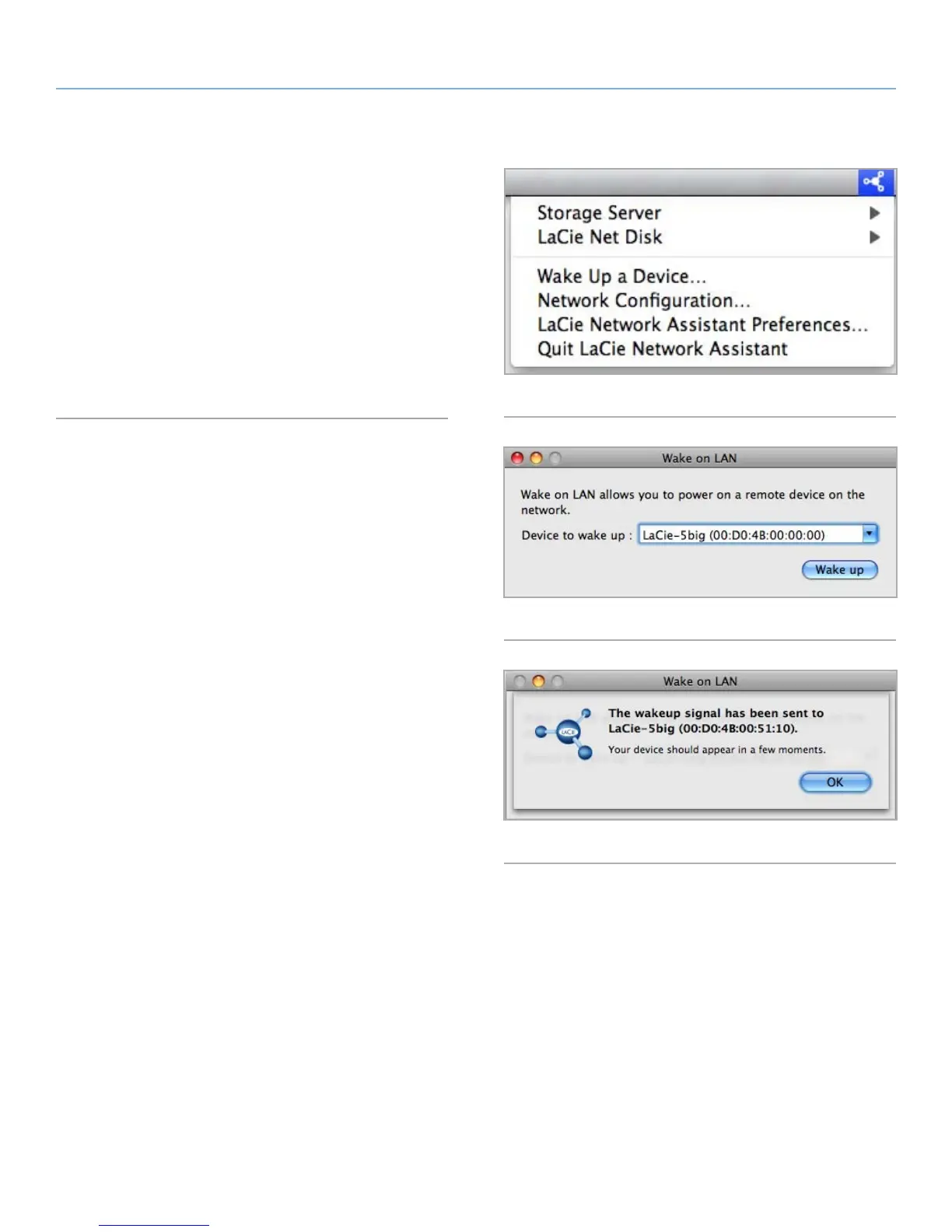
1. Click the LNA icon in your menu bar (Mac Users, Fig. 71) or
your task bar (Windows users) and click Wake Up a Device...
2. In the window that opens (Fig. 72), select the device and click
Wake up.
Fig. 71
Fig. 72
Fig. 73



 To Next Page