LaCie Wireless Space • DESIGN BY NEIL POULTON Accessing & Transferring Files
User Manual page 39
3.5.6. Accessing Shares via FTP
The FTP protocol is used to transfer files from one computer to an-
other through a local network or over the internet. This protocol al-
lows you to exchange files with your friends or relatives securely, as
only people who know the password will have access.
MANUAL NOTE: The FTP service is enabled by default. To change
the setting, see 3.6.5. Dashboard: General Settings.
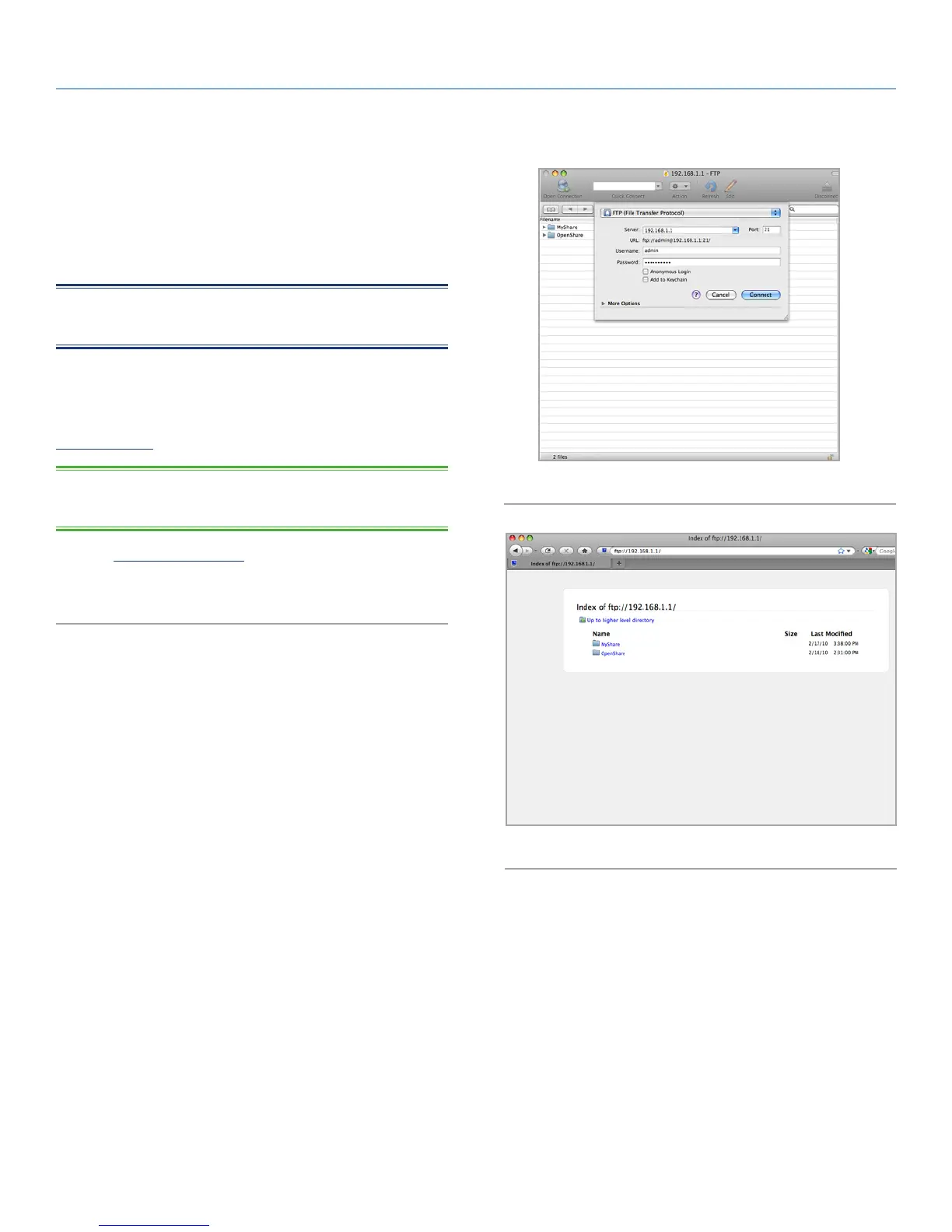
To connect to the Wireless Space remotely via FTP, enter the address
information in your FTP software (Fig. 52) or in the URL bar of a web
browser (Fig. 53):
ftp://[IP address]
TECHNICAL NOTE: See 3.4. LaCie Network Assistant for instruc-
tions on finding your Wireless Space’s IP address.
Example: ftp://192.168.10.149
You may have to enter the login and password created during setup.
Fig. 52
Fig. 53















 To Next Page