LaCie Wireless Space • DESIGN BY NEIL POULTON Administering the LaCie Wireless Space: Beyond Basic
User Manual page 85
4.5.2. Dashboard: Router Pages
A router configuration signifies the creation of a new network, or
sub-network. The Wireless Space will assign IP addresses to all con-
nected devices, wired and/or wireless. Router configurations have
three important Dashboard pages: Network WAN, Network LAN,
and Firewall.
Network LAN is included in the Basic administration section but the
page has a different meaning for router configurations. As a router,
the Wireless Space becomes the LAN interface for the network. As
a switch, the Network LAN page points to the router, server, or In-
ternet provider that manages IP addresses. See 3.6.6. Dashboard:
Network LAN for more information on the Network LAN page in a
switch configuration.
4.5.2.1. Dashboard Pages: Router - Wired Only
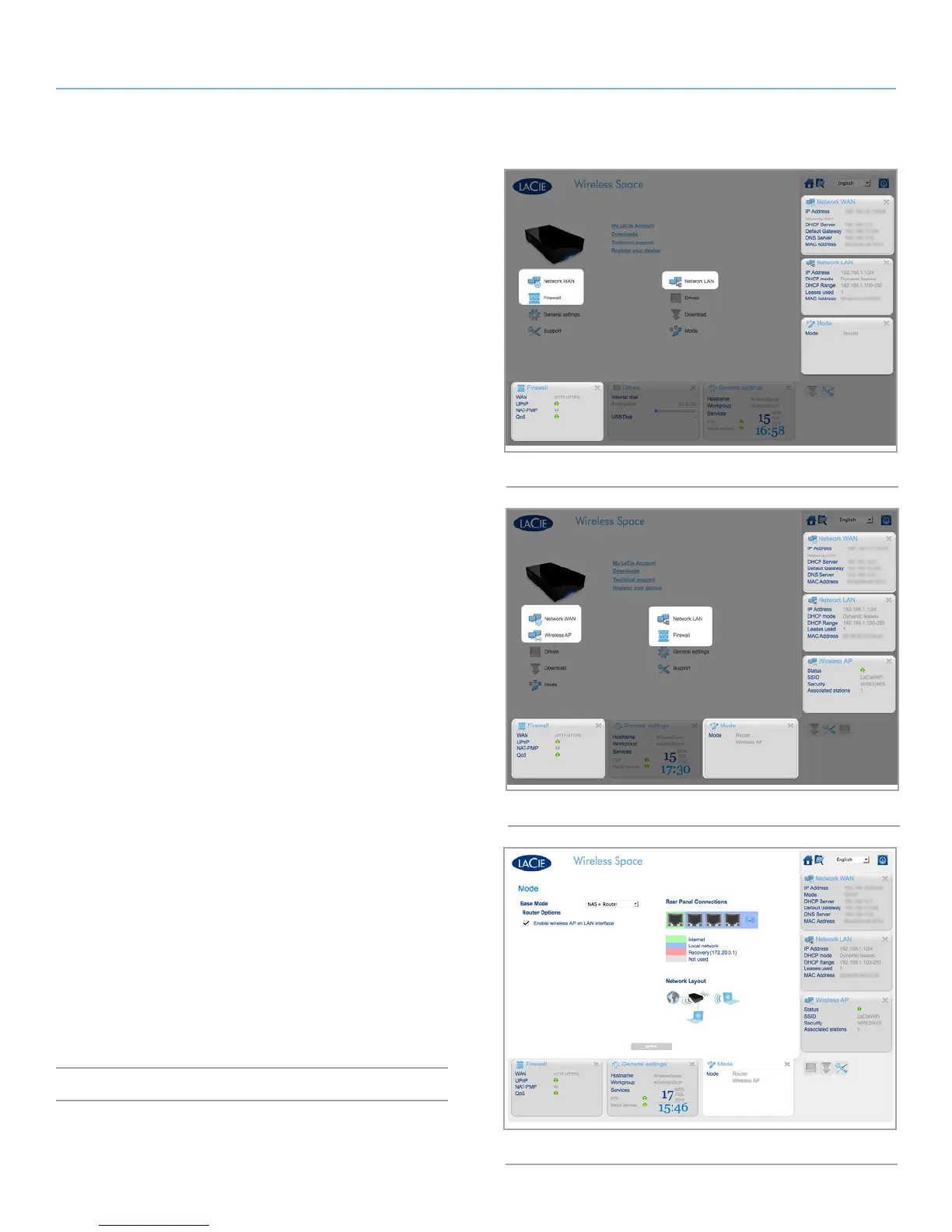
The welcome page for a NAS Router - Wired Only configuration is
pictured in Fig. 141 Router - Wired Only. The additional widgets
are highlighted.
For details on each page:
4.5.3. Dashboard: Network WAN
4.5.4. Dashboard: Network LAN
4.5.5. Dashboard: Firewall
4.5.2.2. Dashboard Pages: Router - Wireless Access
Point
Fig. 142 Router - Wireless Access Point shows the welcome page for
a NAS Router - Wireless Access Point.
Please note that this mode includes the widgets for a router and a
wireless access point. To enable the Wi-Fi access point on a Router -
Wired Only configuration, go to the Mode page. Once there, check
the box next to Enable wireless AP on LAN interface and click APPLY
(Fig. 143). The Router - Wireless Access Point pages include:
4.5.1. Dashboard: Wireless AP
4.5.3. Dashboard: Network WAN
4.5.4. Dashboard: Network LAN
4.5.5. Dashboard: Firewall
j
Fig. 141 Router - Wired Only
Fig. 142 Router - Wireless Access Point
Fig. 143















 To Next Page