LaCie Wireless Space • DESIGN BY NEIL POULTON Administering The LaCie Wireless Space
User Manual page 45
3.6.5. Dashboard: General Settings
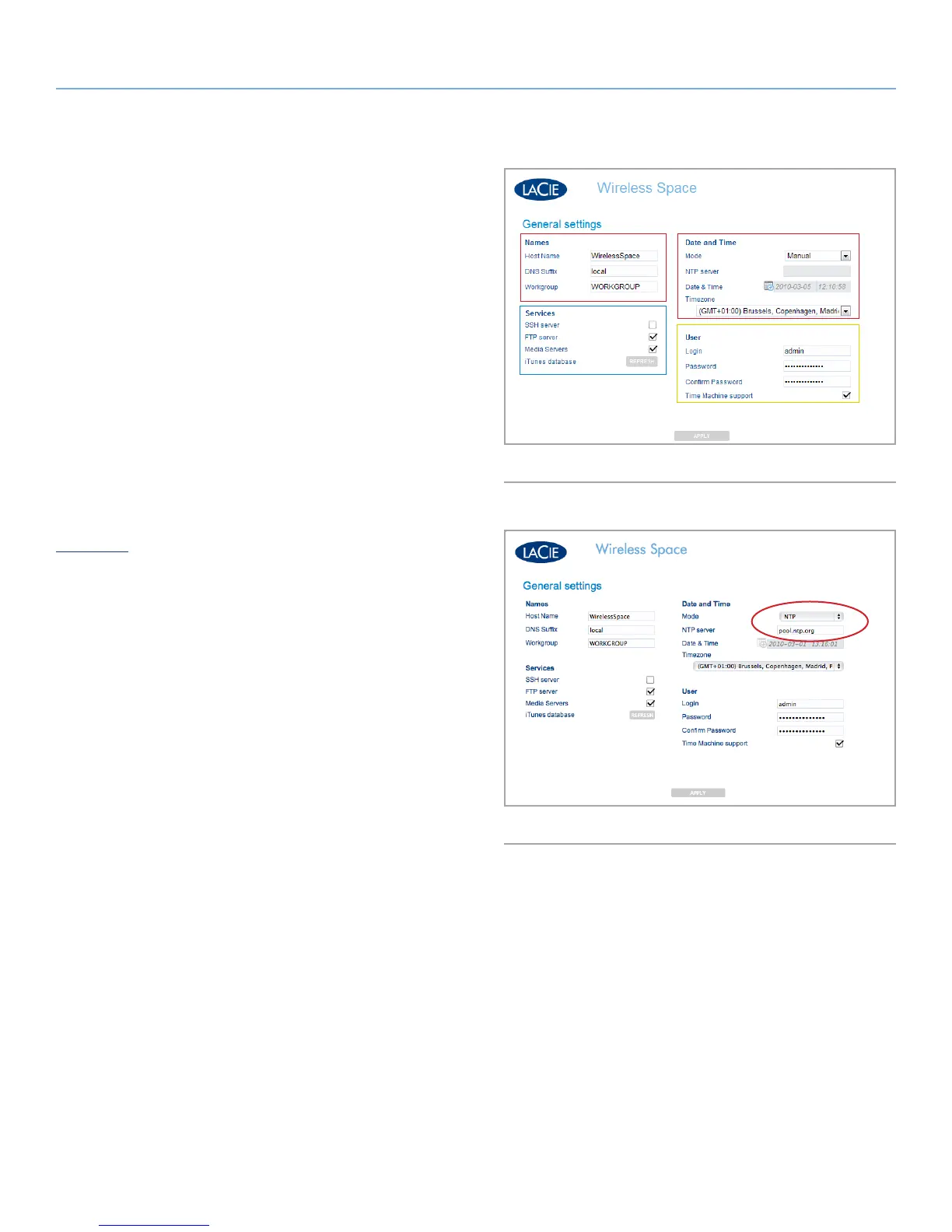
This page allows you to choose or modify some of your Wireless
Space’s basic settings. For a change to take effect, select APPLY at
the bottom of the main area of the Dashboard.
3.6.5.1. Names, Date & Time, iTunes & Media Server,
and Login & Password
Names
Changes can be made to the Host Name (Wireless Space name),
DNS Suffix, and Workgroup. Workgroups are used by Windows
servers to group network devices together.
✦ A host name must contain 4 to 15 alphanumeric characters.
Do not use symbols or spaces.
Date and Time
Date and Time may be entered manually or using a Network Time
Protocol (NTP) server. The NTP server may be part of your net-
work or a web address. For example, Fig. 65 uses the public site
pool.ntp.org.
Services
Enable or disable SSH, FTP, and Media Servers (UPnP/DLNA/
iTunes). Select REFRESH to have Wireless Space search OpenShare
for iTunes library files.
User
Change the Login and Password for the Wireless Space.
✦ A login must contain 2 to 16 alphanumeric characters (case
sensitive) and begin with a letter. Do not use a symbol for a
login.
✦ A password must have 8 to 16 alphanumeric characters (case
sensitive).
✦ Please note that the browser page will reload and ask for the
new login and password.
continued on the next page>>
Fig. 64
Fig. 65















 To Next Page