LaCie Wireless Space • DESIGN BY NEIL POULTON Administering the LaCie Wireless Space: Beyond Basic
User Manual page 83
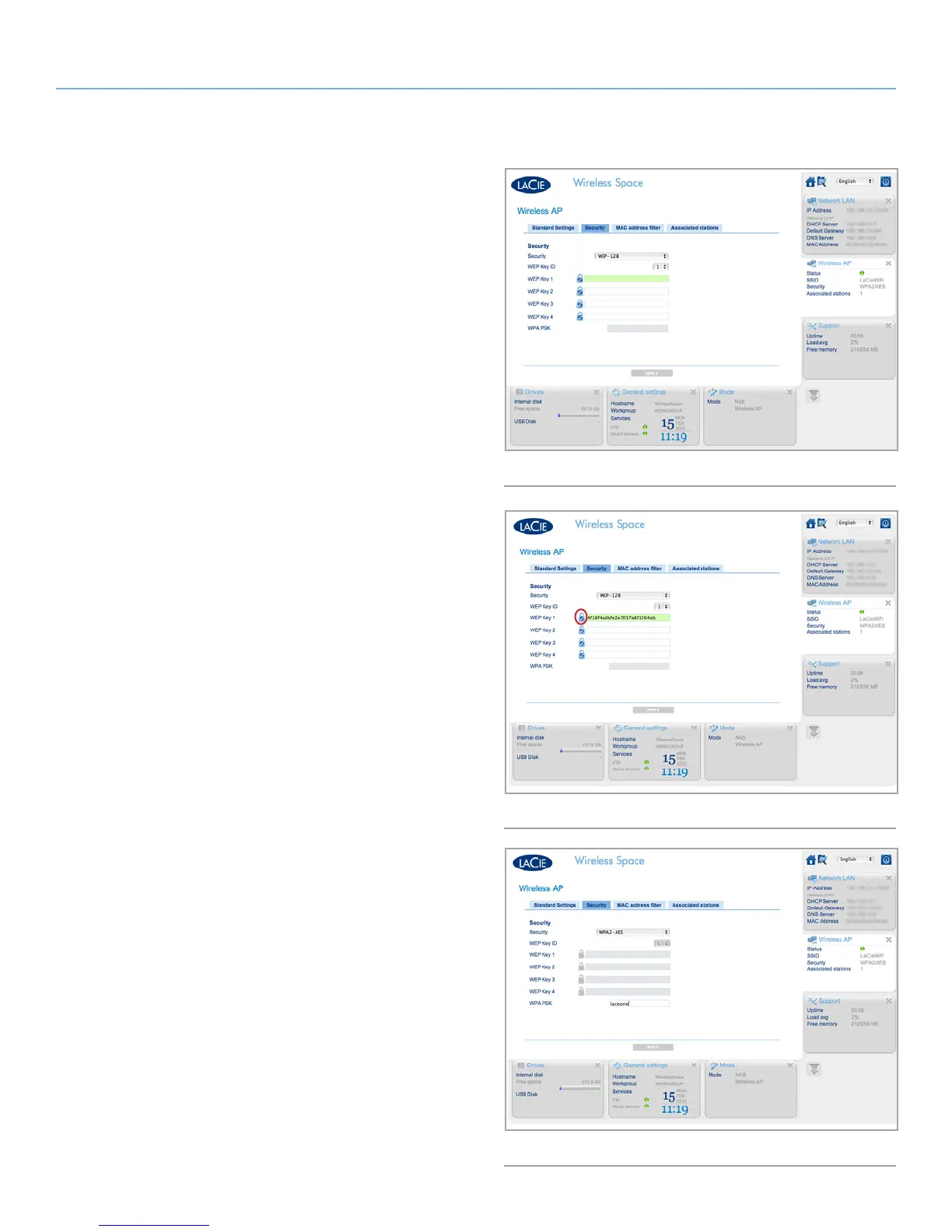
WEP-128 has been selected in Fig. 136. You have the option to en-
ter a WEP key manually or to allow the LaCie Wireless Space Dash-
board to generate a key for you. Click the lock once (Fig. 136) for
a new WEP password (Fig. 137). You may also generate additional
keys. With the WEP Key(s) selected, click APPLY.
WPA is displayed in Fig. 138. Note that all the WEP key fields are
greyed out. Enter the password in the WPA PSK field before clicking
APPLY.
continued on the next page>>
Fig. 136
Fig. 138
Fig. 137















 To Next Page