This drill press is designed to give you years of safe service. Read this owner’s manual in its
entirety before assembly or use.
The drill press does not have many parts. The major parts are discussed in this manual. If you
are not familiar with the drill press, take the time to read this section and become familiar with
the machine.
NOTE: The handle for controlling the arbor/chuck depth can be attached to either
the right or left side of the drill press.
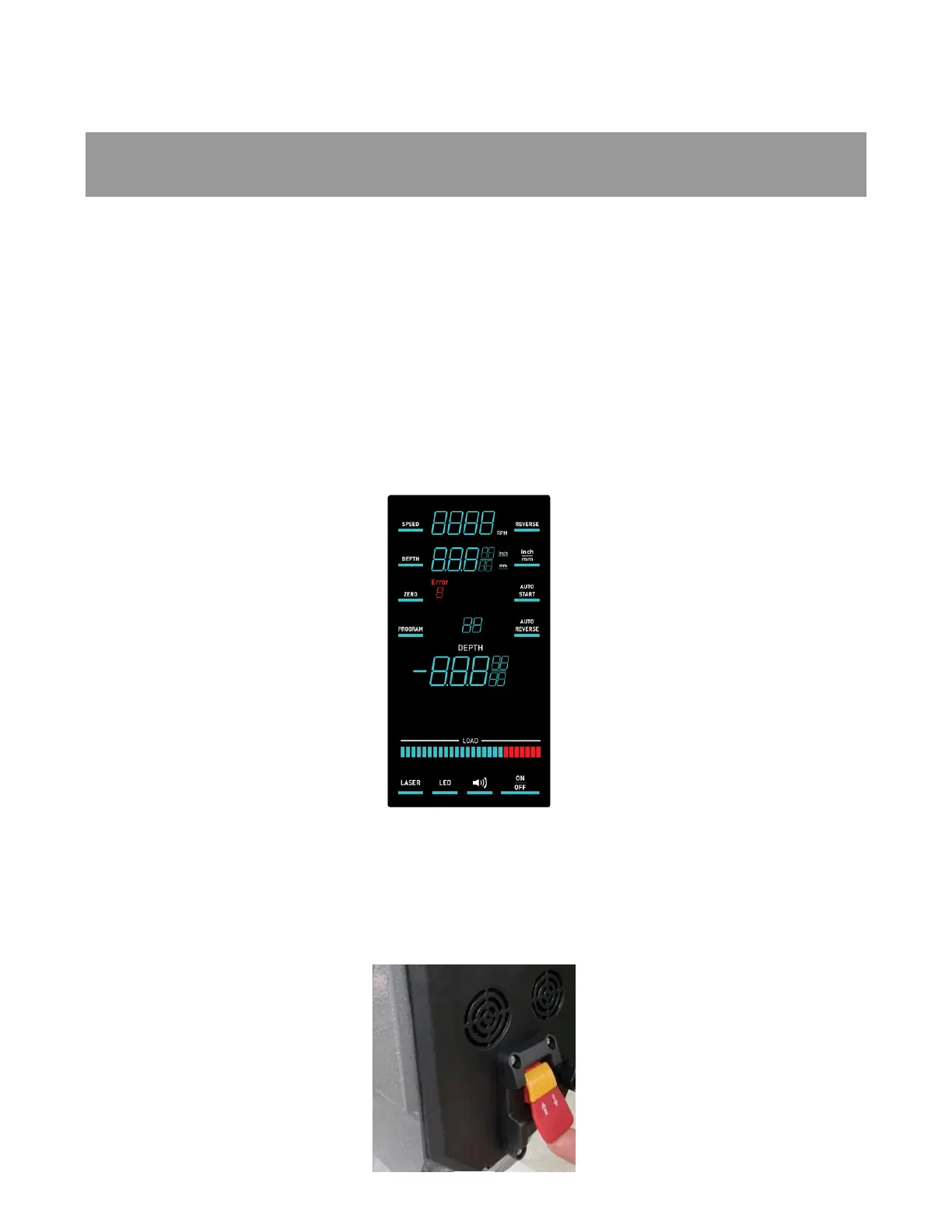
Control Panel/Touch Screen:
The control panel’s touch screen controls both basic functions as Start/Stop, RPM, rotation
direction, LED light, laser, etc. It also allows programing of functions, such as tapping holes.
Read the section detailing the Control Panel for more information about use and programming.
Figure 2: Control Panel
Power Switches:
• Main Power
To start the machine, lift the paddle of the start/stop switch, at the back of the headstock. To
shut off power to the machine press down on the paddle. To prevent unwanted use, remove the
yellow lock key from the center of the switch, when it is OFF. Do not lose the yellow lock key as the
machine will not operate without this key.



 To Next Page